Changelog

Follow new updates and improvements to Moonbase.

New & Improved: Promotions and Cart Offers
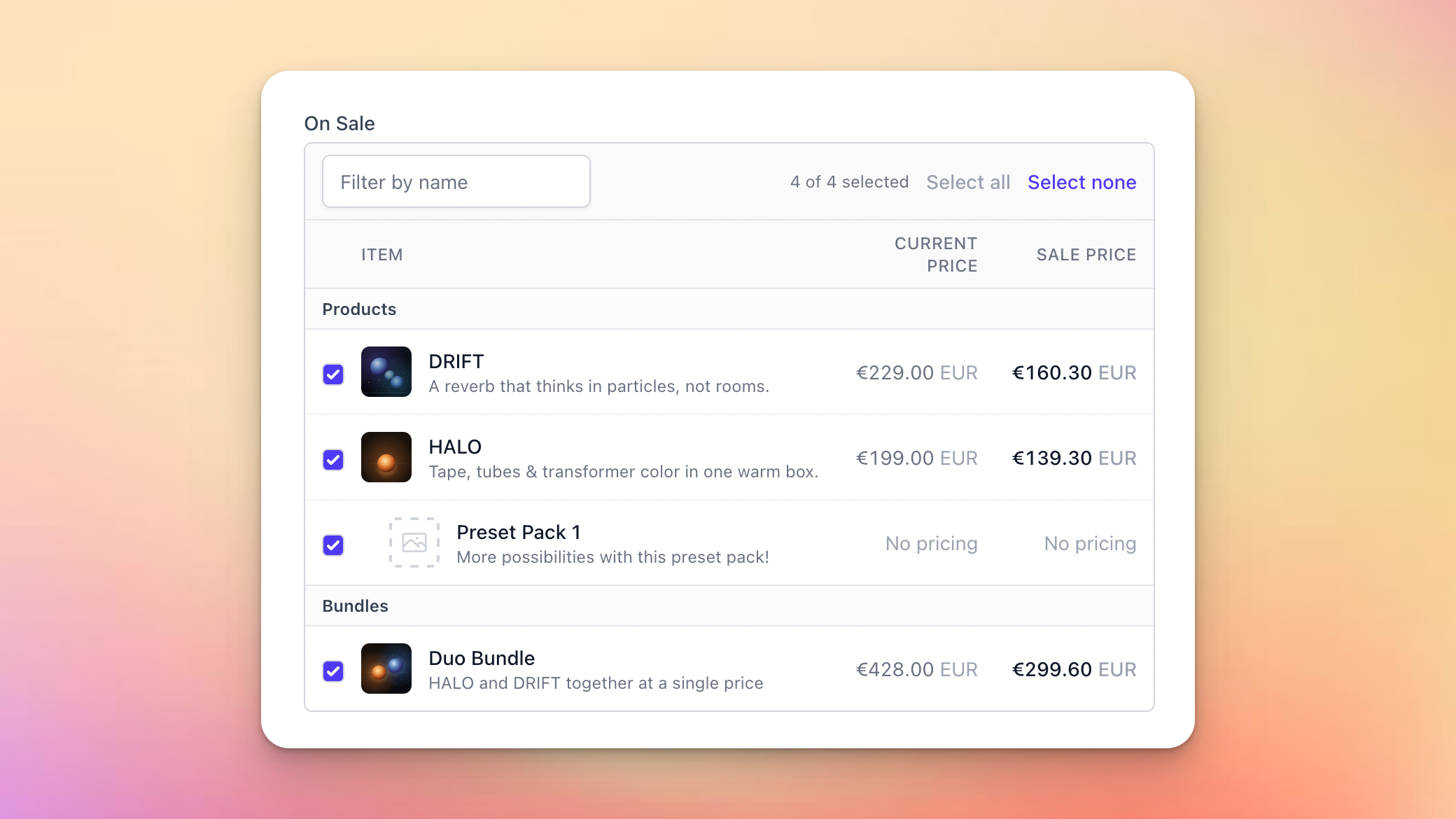
We’re excited to share two new Moonbase features with you: promotions and cart offers!

Promotions is built to handle scheduling discounts across your whole product portfolio, keeping track of the performance of that sale, and communicating it on your website.

Cart offers are an upgrade to our existing Offers feature that let you apply discounts to the whole cart, and apply offers based on cart totals.

Read on for more details!

Are you using our SDKs or APIs to build custom experiences?

Be sure to update to the latest versions to support these new features in your apps!

Promotions

As product portfolios grow, scheduling store-wide sales becomes a bigger and bigger task, since you’d have to update each product with the same discount, over and over again.

Promotions is built to solve that: configure the discount once, select the product, and schedule it to go live whenever suits you or let it run permanently:
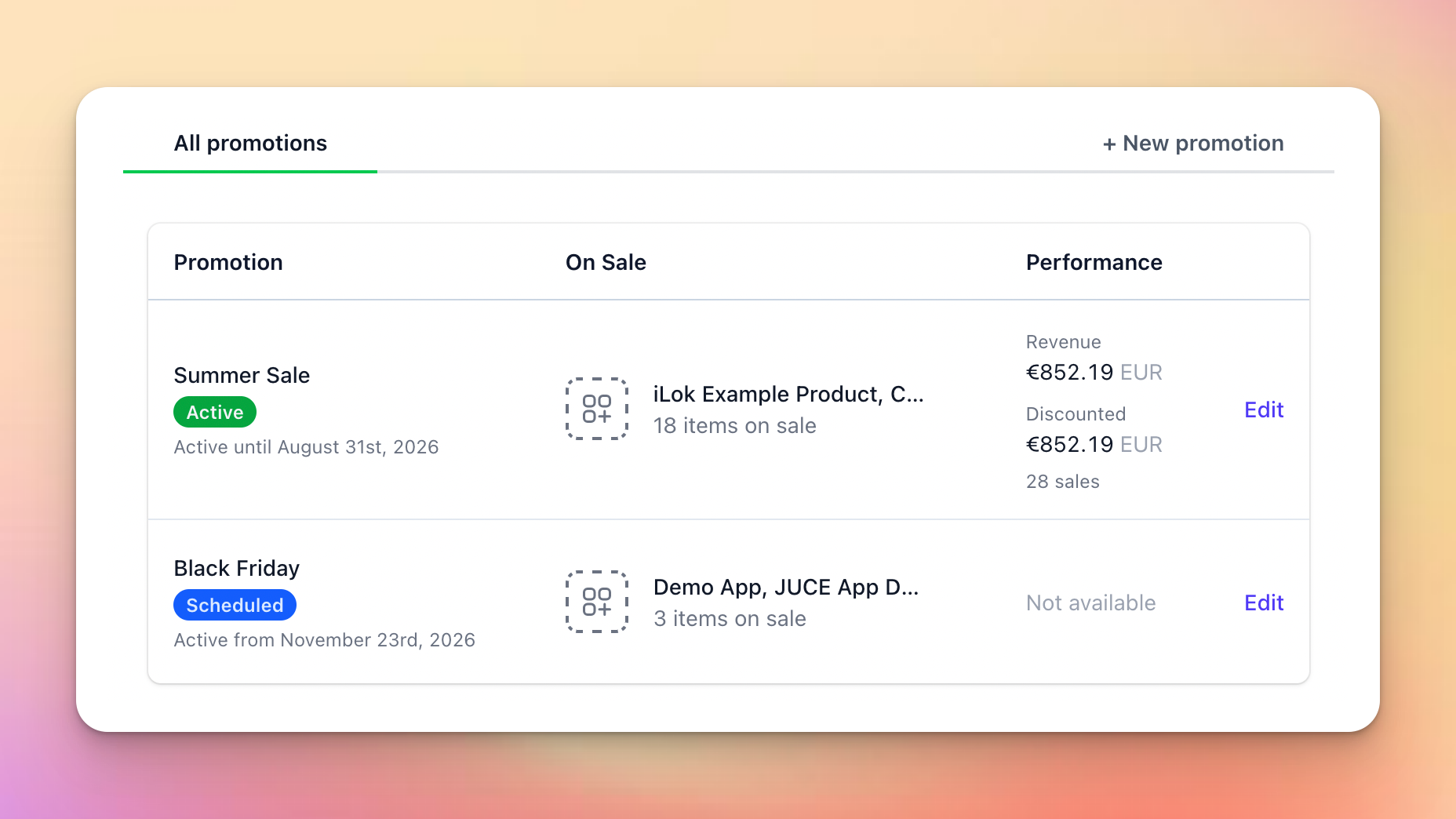
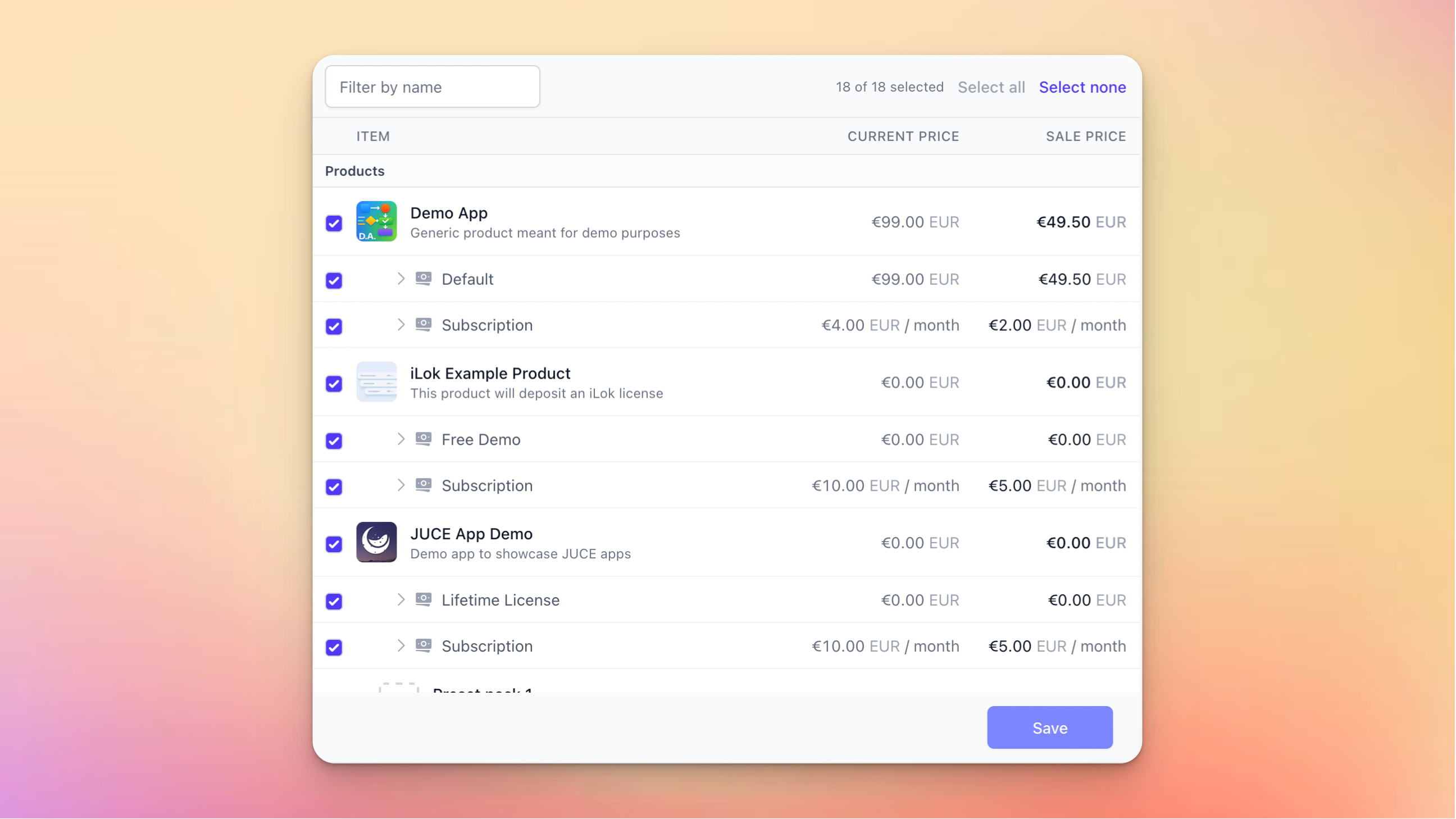
You’ll get a handy overview of which products and bundles should be affected, and how that will look for the customer in the end:
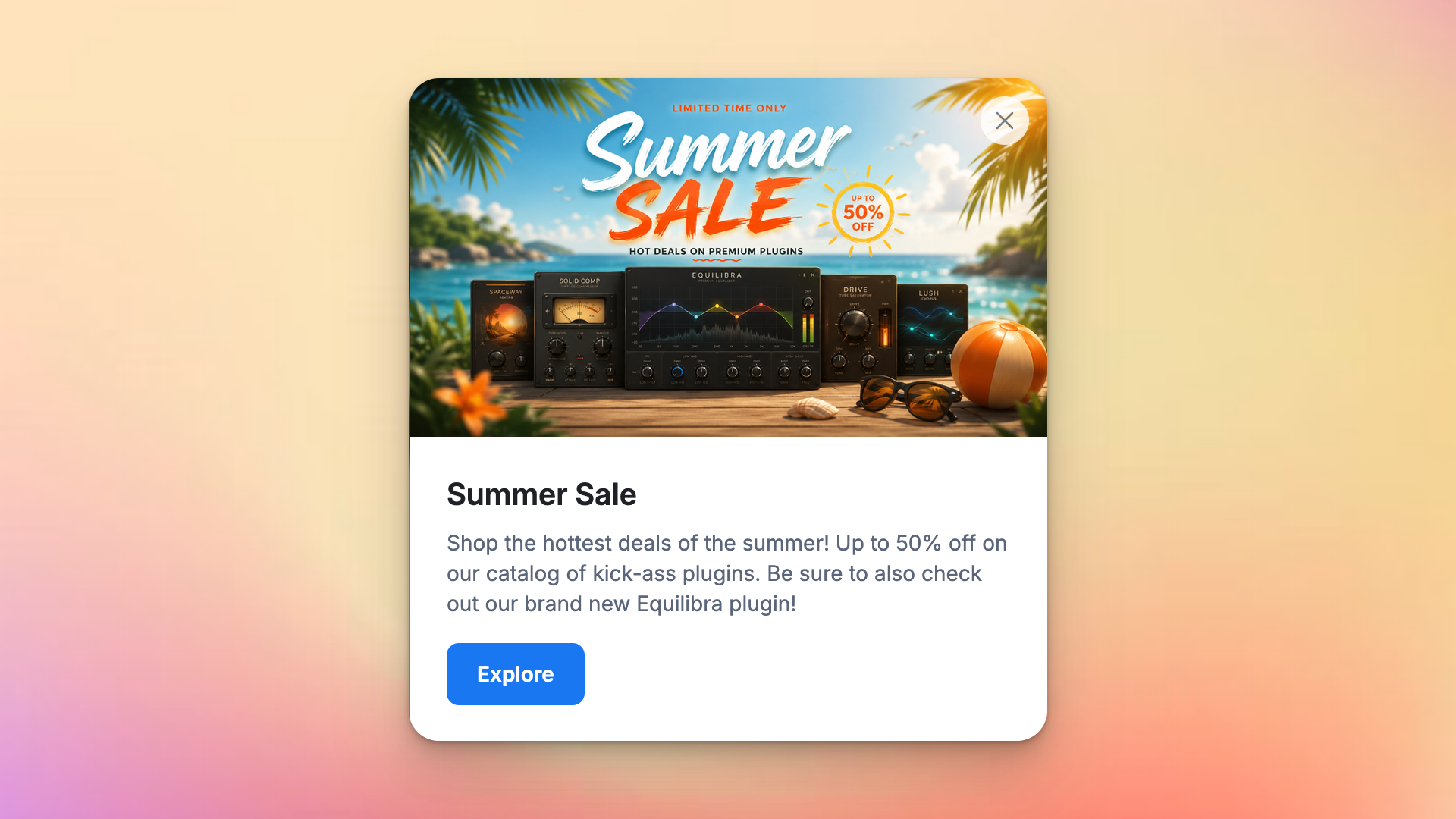
And to make it easier for you to coordinate the discount with the communication on your website, you can flag a sale for a banner or popup, which our storefront SDKs use to surface it:
These promotions support the usual Moonbase features like audience exclusivity and custom properties to let you add more data for use in your own custom integrations.

Read more in our article on Promotions !


Cart Offers

Our offers feature lets you create up-sells and cross-sells that are visible in carts during shopping, but one scenario was never really supported: discounts based on cart totals.

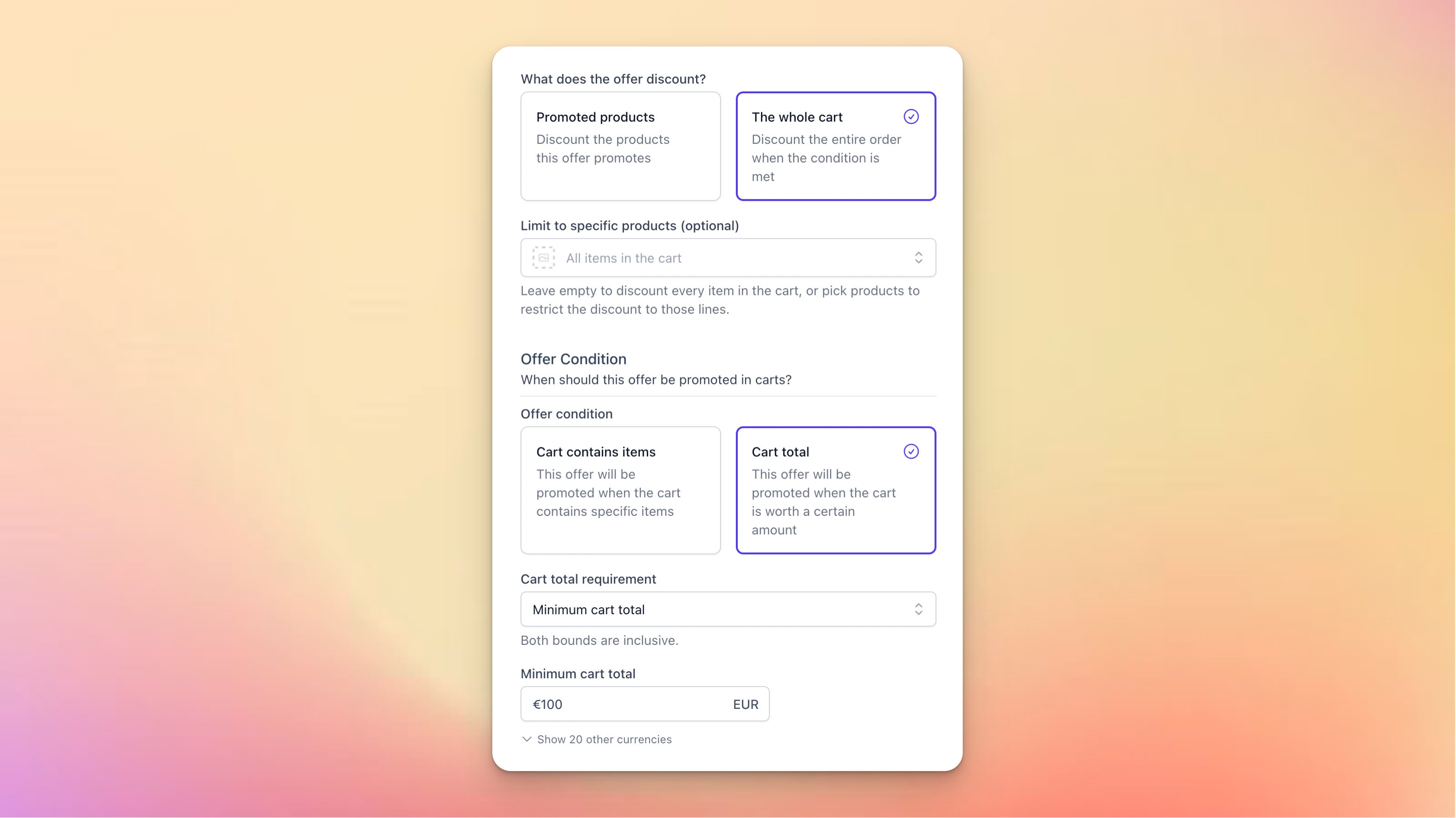
This is what we support now, both when promoting other products (“get Plugin B for free with purchases over 100€”), but also as cart discounts (“get 25% off with purchases over 100€”):
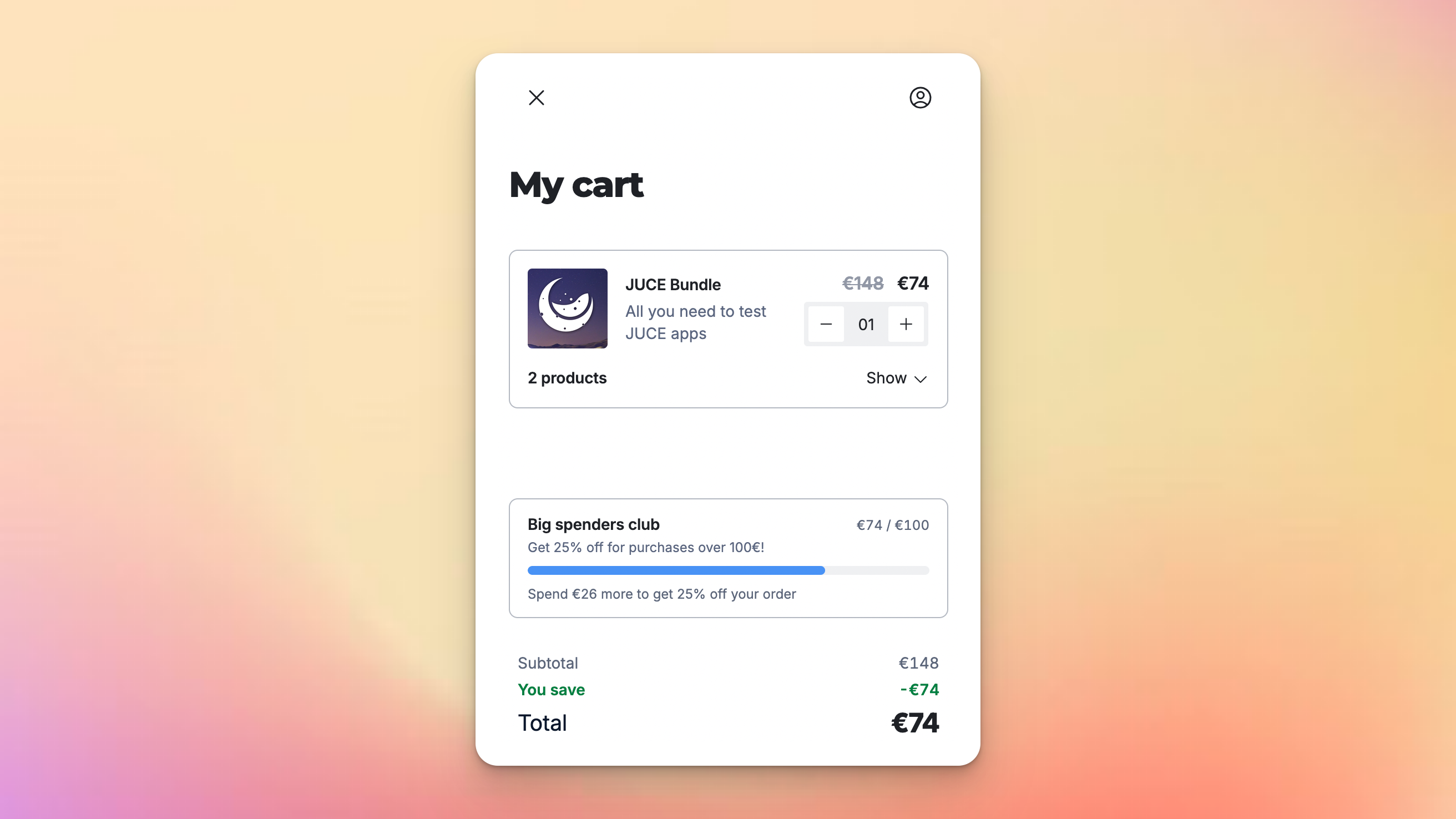
To make it clear to customers that an offer like this is unlockable, we display it as a progress bar in the cart which updates as they add items to it. Offers that give a cart discount are shown side-by-side with other offers, so customers can see both opportunities at the same time, and get the best deals out of their shopping experience.

Get started today by creating a new offer, selecting a cart total condition, targeting the cart:
Read more in our article on Offers !


I know many of you are waiting on our Email Campaigns feature: hang in there!
We’re working hard, and the next product update should be about that!
NewImproved

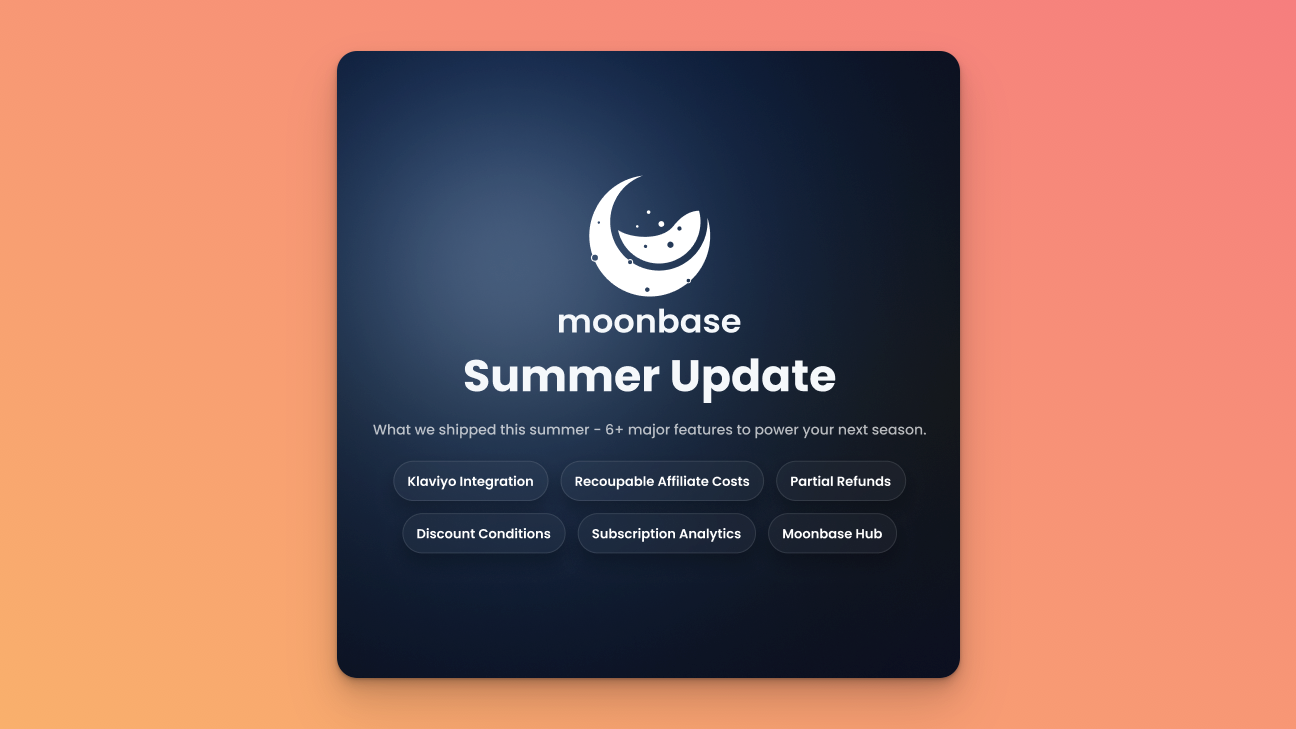
Summer Update: Klaviyo Integration, Recoupable Affiliate Costs, Partial Refunds and more!

The Moonbase crew has been busy building all summer, and we have slew of features to share with you! We’ve taken the chance to touch up on a lot of areas, and to prepare for more marketing tooling coming soon.

Klaviyo Integration

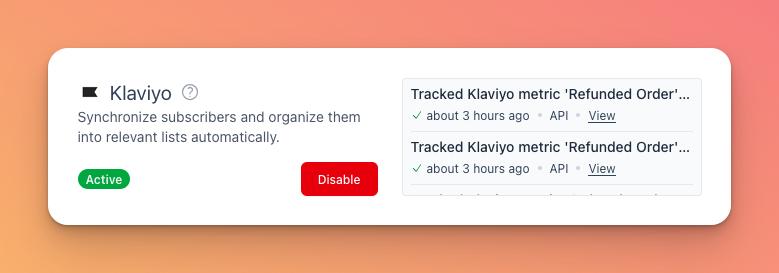
Klaivyo is perhaps one of the best and hottest marketing platforms, and we’ve now built native support for it in Moonbase.

Unlike the other newsletter-oriented platforms we currently integrate with, Klaviyo is a bit different. Moonbase will not sync over the segments you have in Moonbase, but rather all the metrics/events generated by customers doing things. This means you can more easily create custom segments and automations based on historical actions taken by your users to craft the exact marketing strategy you want.

Read more in our docs on Klaviyo


Recoupable Affiliate Costs

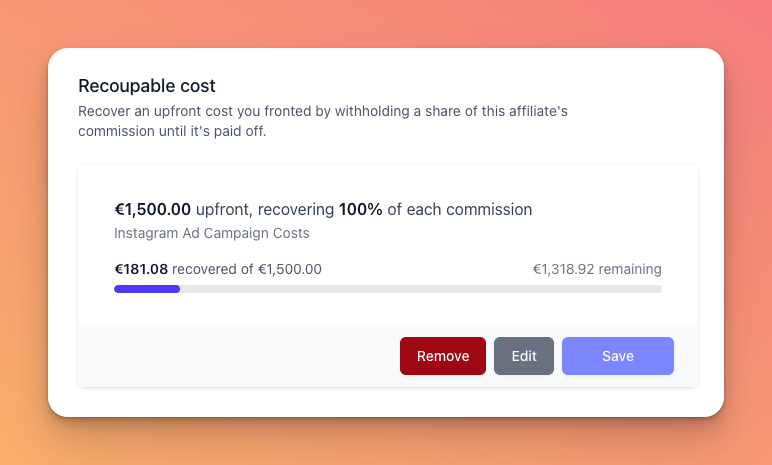
When working with partners to build & promote products, you may some times have upfront costs on your side that needs to be recouped before commission should be paid out.

This can now be tracked natively in Moonbase, where the initial sales that generate a commission can be (partially) withheld until the full amount is recouped. With this, you don’t have to track sales to figure out when to turn on the commission, but rather let Moonbase track it all for you, simplifying your operations even more.

Read more about this in our article on Affiliates


Partial Refunds

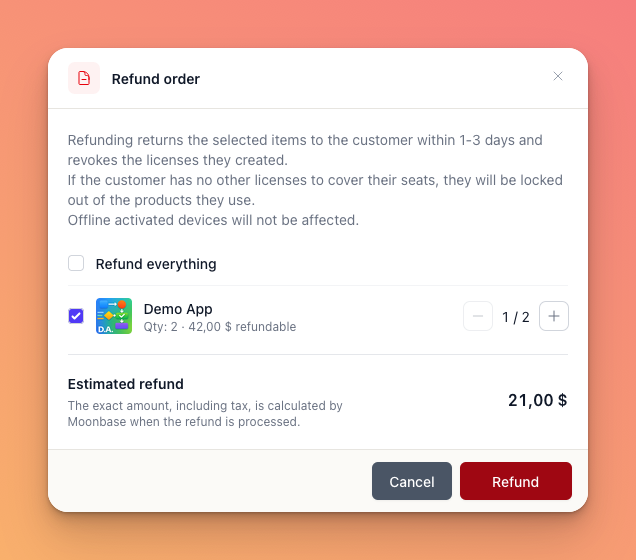
Although rare, some times customers buy more copies than they wish, or want only some of the product they bought to be refunded. This is now possible, with a new refund flow where you can pick exactly which items and how many to refund!

When refunding a partial quantity of a product, we will revoke the licenses that have not been activated by the user, to prevent any disruption.


More Discount Conditions

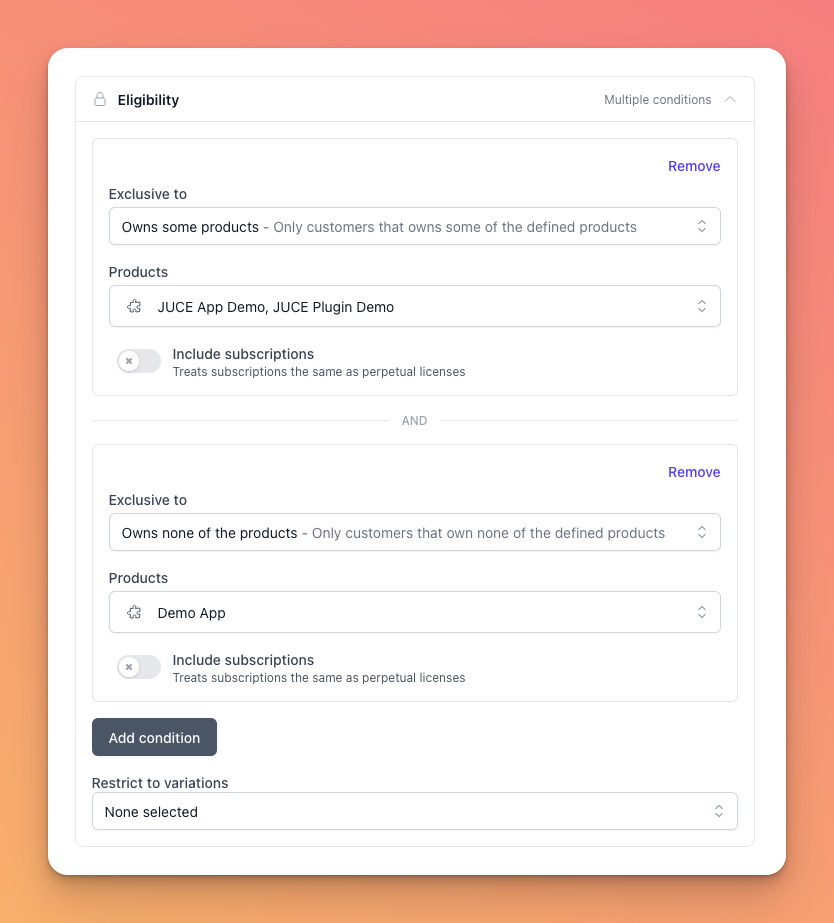
When configuring the exclusivity of a discount, you can now combine multiple conditions. And to make this super useful, we’ve added a new condition: “Owns none of the products”. This effectively lets you have discounts that apply only for the first “upgrade” to that product, while the customer doesn’t already own it. Ideal for larger upgrade discounts where you want one upgrade per customer.


Even More Subscription Analytics

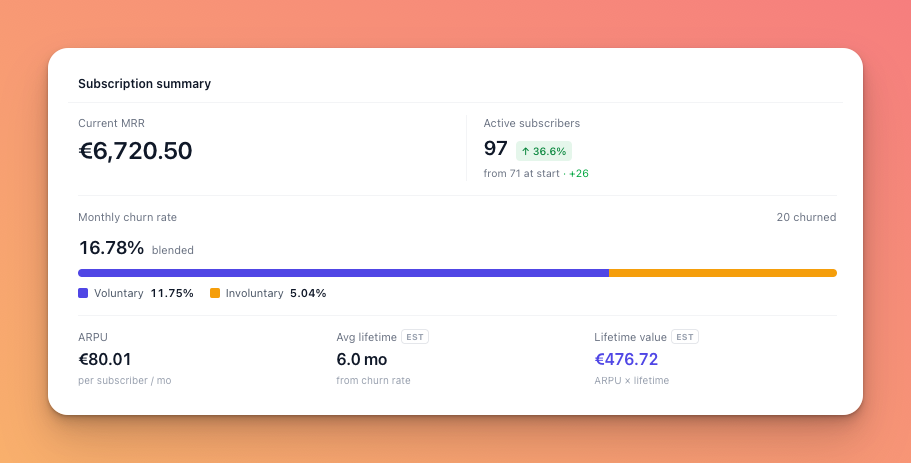
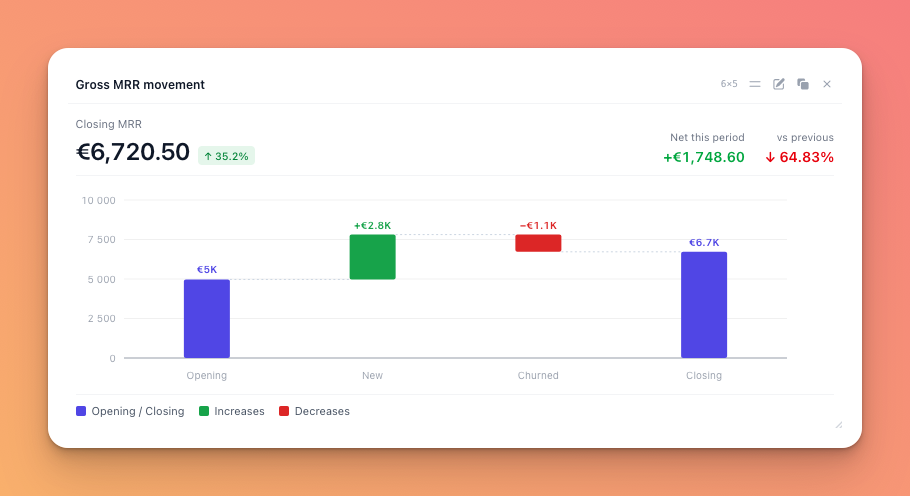
Just a few weeks ago, we launched our Analytics Dashboard Upgrades , and since then we’ve added a slew of additional subscription metrics to better understand MRR movement, cohort changes and churn reasoning.

Subscriptions are getting more and more popular, especially combined with rent-to-own, so these new insights should help you understand the state of your business much better.


Moonbase Hub

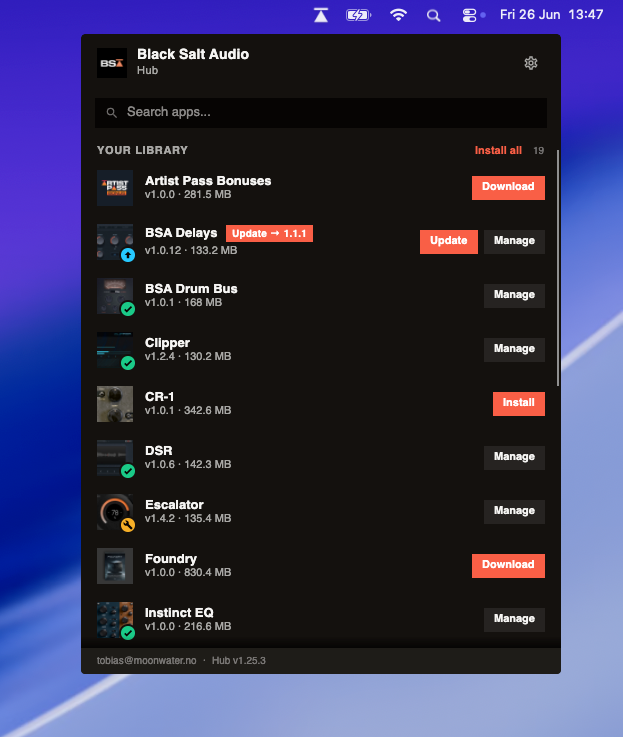
Lastly, we’ve been working on something new. As plugin companies grow, and the portfolio grows, being able to install and manage all products in a single place becomes more and more important.

That’s why we built a Moonbase Hub. This is a branded installer manager for your customers only, installable on Mac and Windows, which can download, install, update and automatically activate all the products in your portfolio. We’ve partnered with Black Salt Audio to launch the initial version to their customers, but are now opening up for more companies. If you have a large portfolio and want a solution now, get in touch!

This install manager has been built exclusively using Moonbase APIs that you also have access to, meaning you can build the same! Stay tuned for an article on how we built this in a way we can auto-activate products during installs.


That’s it for now, we’re spending the rest of the summer working on Email Campaigns (and taking some vacation), you know where to find us for more feedback! 🚀

NewImproved

Analytics Dashboard Upgrades

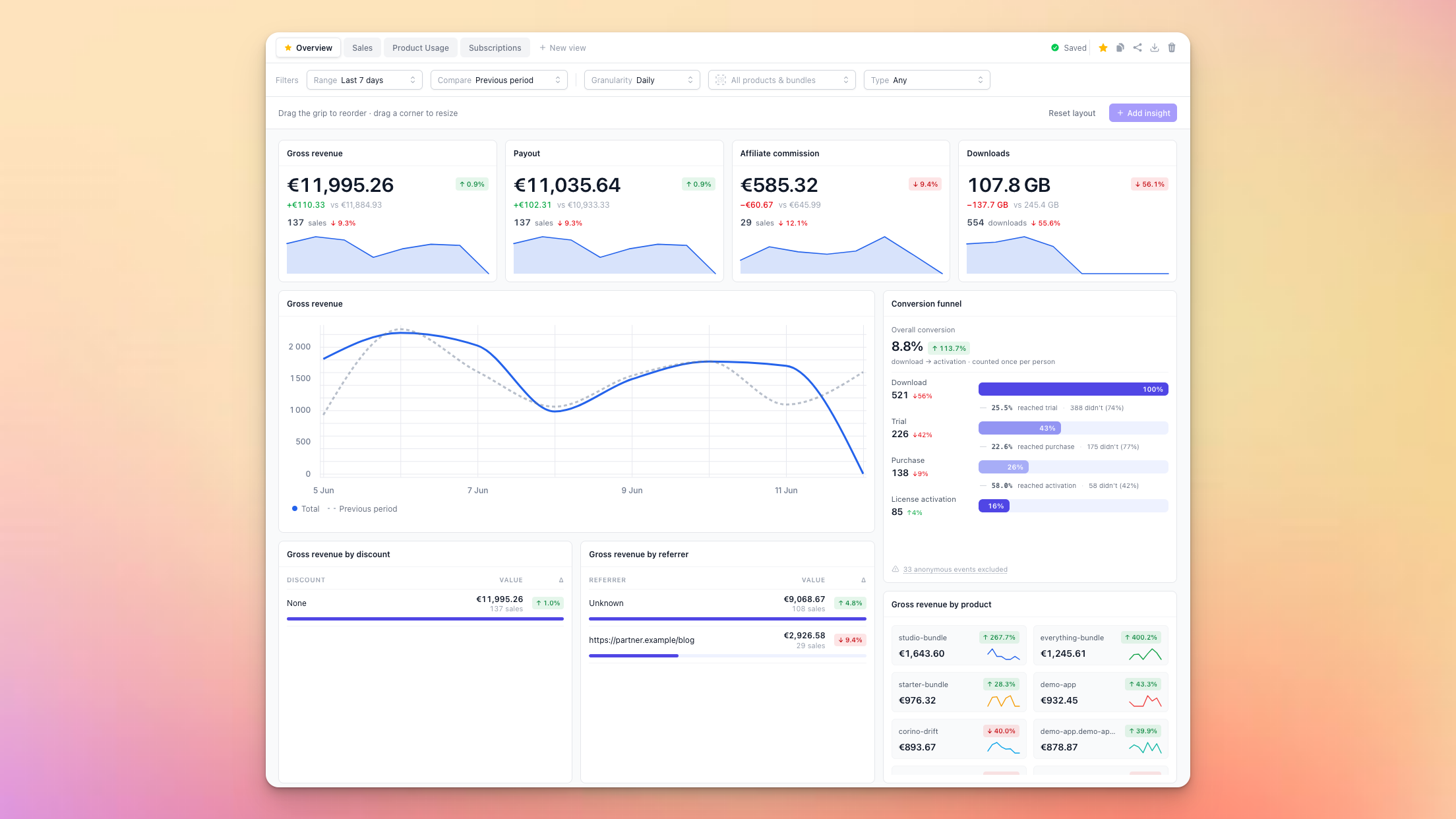
The Moonbase dashboard been with us from the start, getting minor upgrades now and then but was never easy to customize. Having more insights into your business and products, being able to share those with your teammates easily, is never a bad idea, so we’ve made some upgrades!

Multiple views

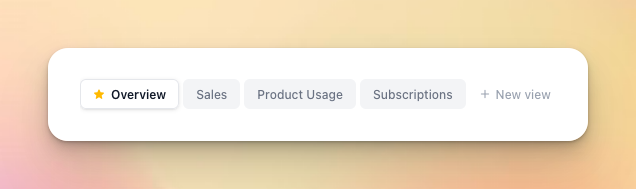
When diving into specifics, it’s handy to be able to have dedicated spaces for that, so the first improvement is having configurable views. We’ve created 4 of them for you out of the box:

These cover the most common scenarios:

  • Overview has insights from all parts of the platform, from sales to downloads and licensing

  • Sales is made for understanding your customers and what they purchase

  • Product Usage drills down into licensing with trials and voucher redemptions

  • Subscriptions surfaces important metrics of the subscriptions active on your account

You can also export and import these views, so you can share your layouts with teammates. The views are stored on your user account, and synced between all your browsers.

New metric categories

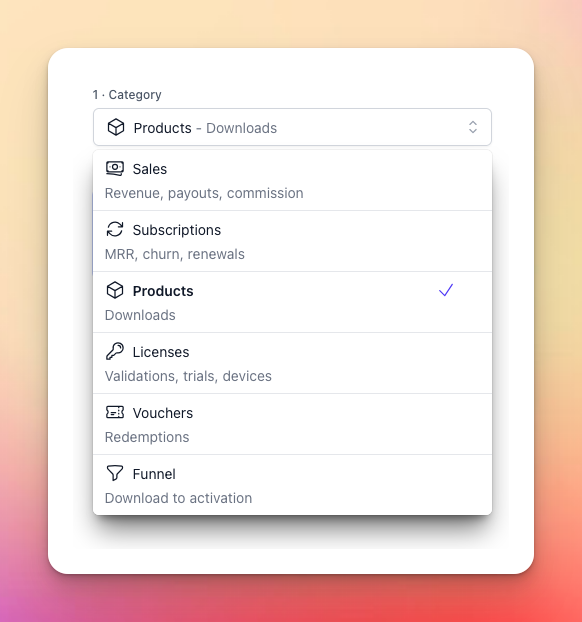
To be able to get more insights, we’ve exposed a number of new metrics:

  • Subscriptions - new category with a number of metrics:

    • Revenue (gross, net, payout, affiliate commission)

    • ARPU (average revenue per user)

    • MRR (gross and net, monthly recurring revenue)

    • New/recurring/churned (change in subscribers)

  • Licenses - existing category but with a new metric:

    • Devices (a count of unique devices seen)

  • Vouchers - new category with two new metrics:

    • Redemptions (codes redeemed to receive products)

    • Unique customers (how many redeemed codes)

  • Funnel - new category! Read more about this below ⤵️

New panel types

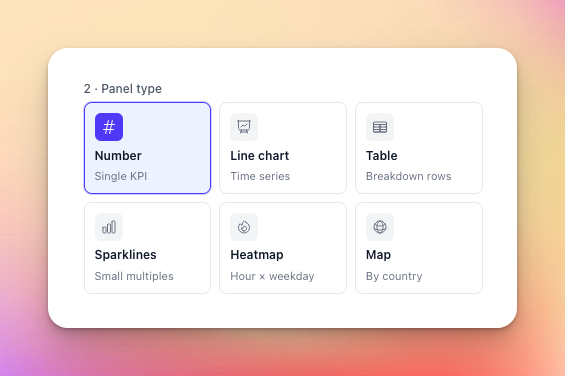
We’ve added three new panel types so you can build rich dashboards and get faster insights:

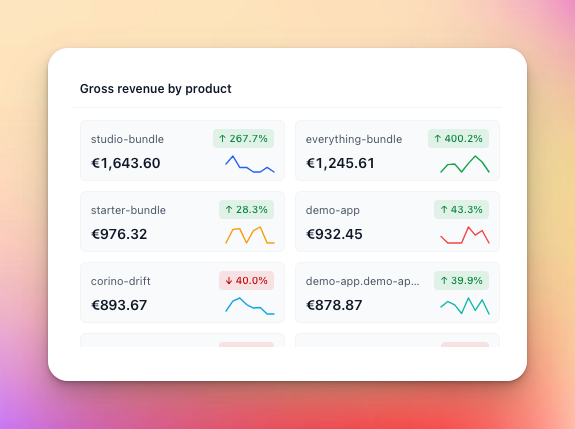
Sparklines

For a quick overview of trending changes:

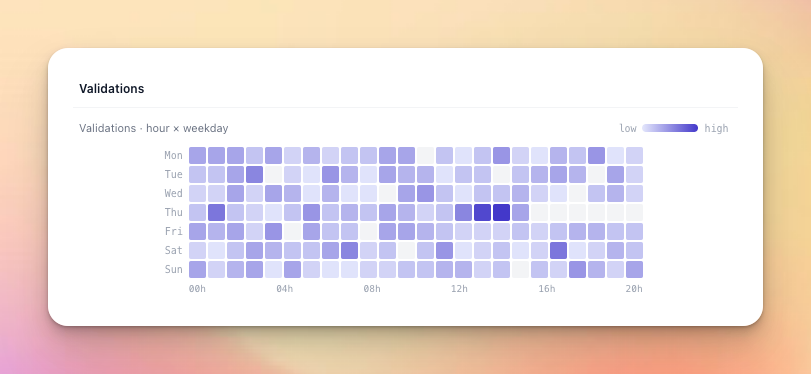
Heatmaps

To understand when your customers are active:

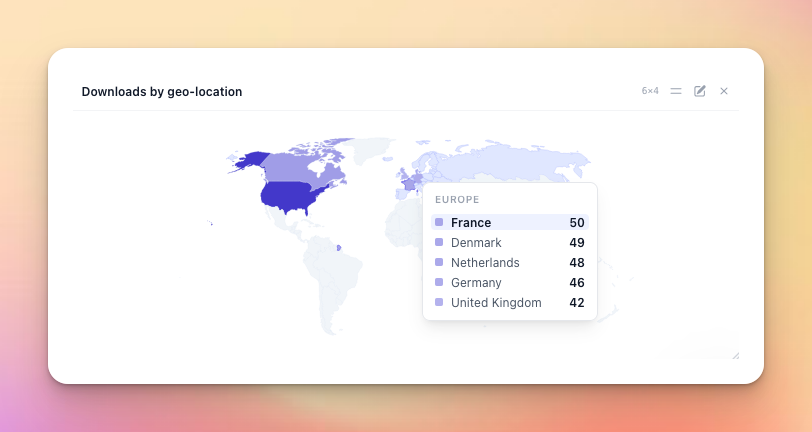
Map

To get a sense of where in the world your users are:

Funnel

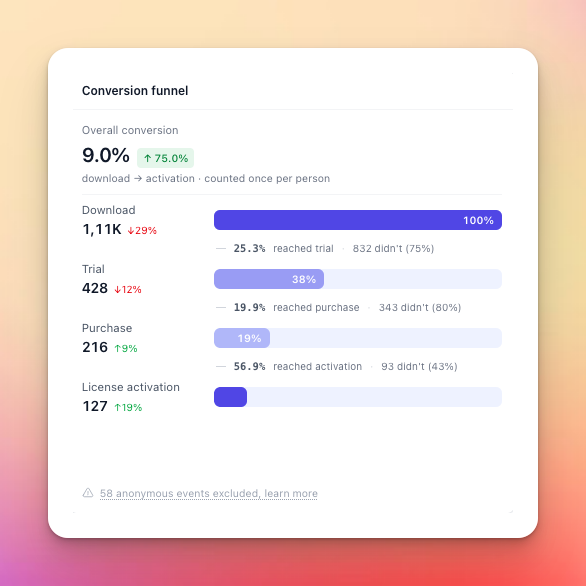
The funnel is a special type of panel, only available for the funnel metric:

What this does is measure the conversion funnel for our most typical user journey:

  1. A user downloads one of your products

  2. They start a trial

  3. Then make a purchase once satisfied with the trial

  4. And finally activate their paid product

Since some of these steps can be performed anonymously, we cannot always get a solid measurement of this, and you may not even offer some of these steps through Moonbase! Even if a trial is started anonymously, we will correlate license activations on the same device to still recover as many signals as we can.

However, we believe it can serve as a general performance indicator, being able to correlate events for the same user across different parts of the common user journey. If this is not relevant for your business, you can always update your dashboard to show other insights instead.


We hope this change brings more insights to your business, please let us know what more you’d like to see! 🚀

Improved

Earlier updates