August 11th, 2026
New
Improved
We’re excited to share two new Moonbase features with you: promotions and cart offers!
Promotions is built to handle scheduling discounts across your whole product portfolio, keeping track of the performance of that sale, and communicating it on your website.
Cart offers are an upgrade to our existing Offers feature that let you apply discounts to the whole cart, and apply offers based on cart totals.
Read on for more details!
Are you using our SDKs or APIs to build custom experiences?
Be sure to update to the latest versions to support these new features in your apps!
Promotions
As product portfolios grow, scheduling store-wide sales becomes a bigger and bigger task, since you’d have to update each product with the same discount, over and over again.
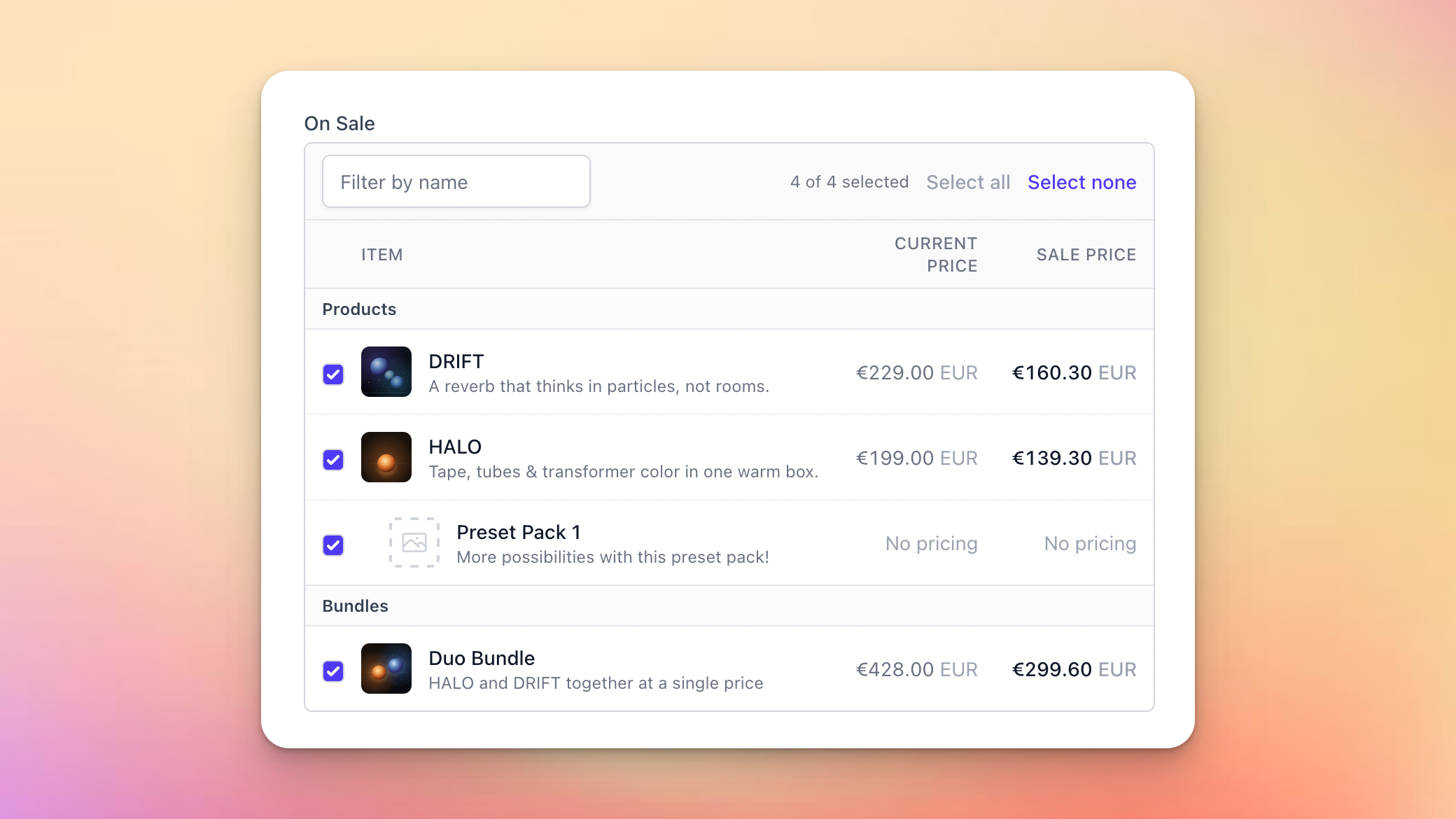
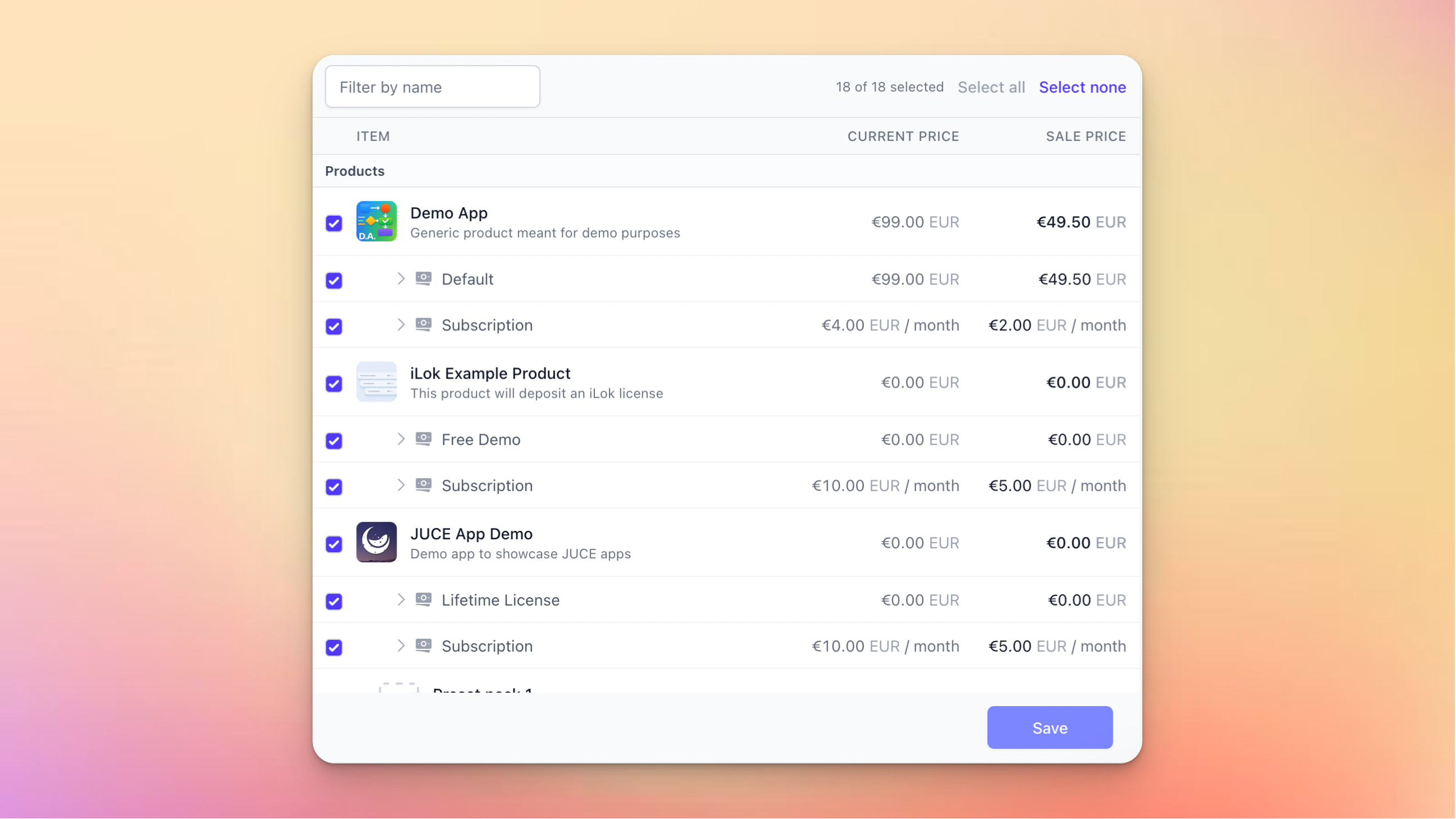
Promotions is built to solve that: configure the discount once, select the product, and schedule it to go live whenever suits you or let it run permanently:
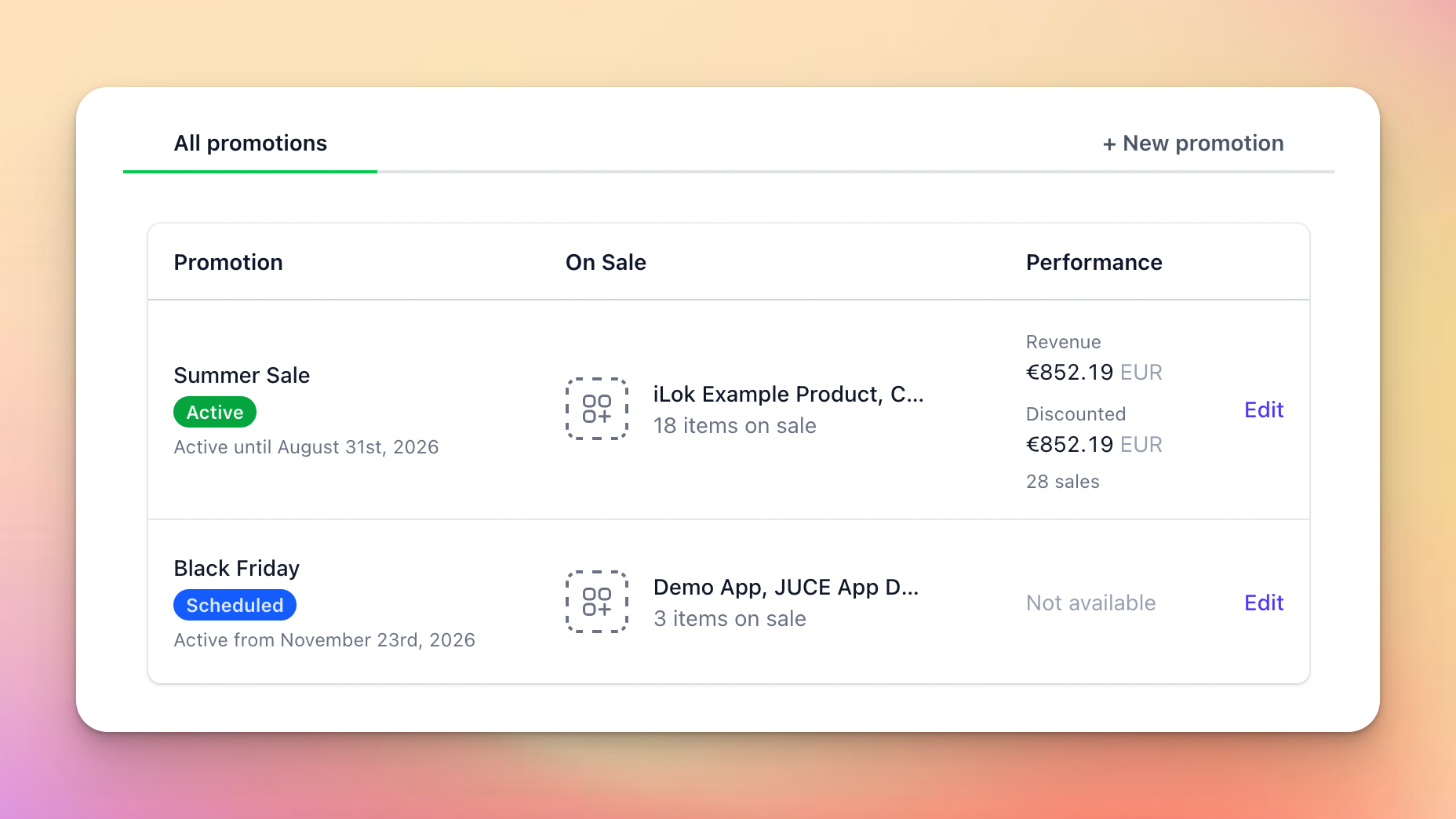
You’ll get a handy overview of which products and bundles should be affected, and how that will look for the customer in the end:
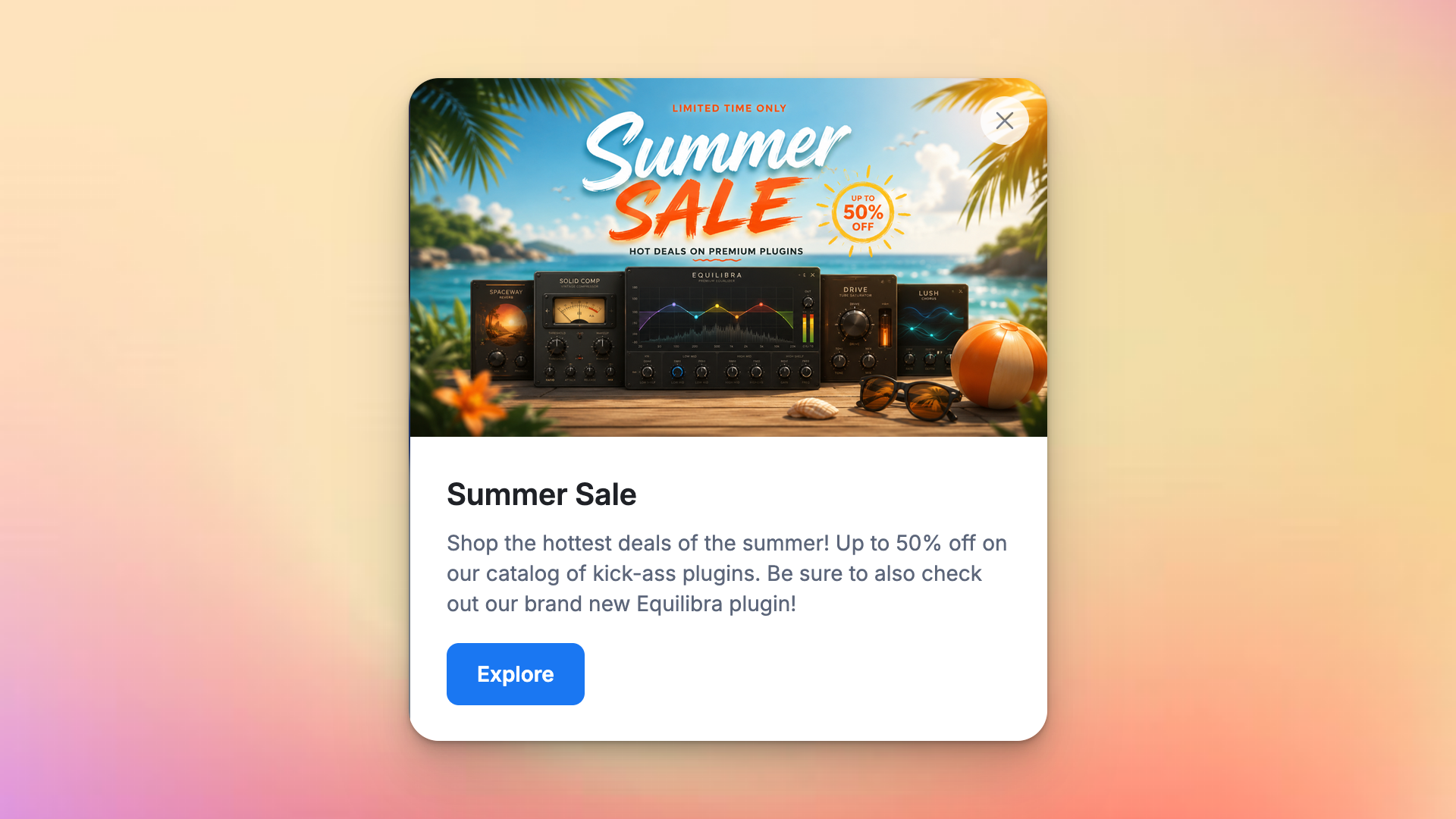
And to make it easier for you to coordinate the discount with the communication on your website, you can flag a sale for a banner or popup, which our storefront SDKs use to surface it:
These promotions support the usual Moonbase features like audience exclusivity and custom properties to let you add more data for use in your own custom integrations.
Read more in our article on Promotions !
Cart Offers
Our offers feature lets you create up-sells and cross-sells that are visible in carts during shopping, but one scenario was never really supported: discounts based on cart totals.
This is what we support now, both when promoting other products (“get Plugin B for free with purchases over 100€”), but also as cart discounts (“get 25% off with purchases over 100€”):
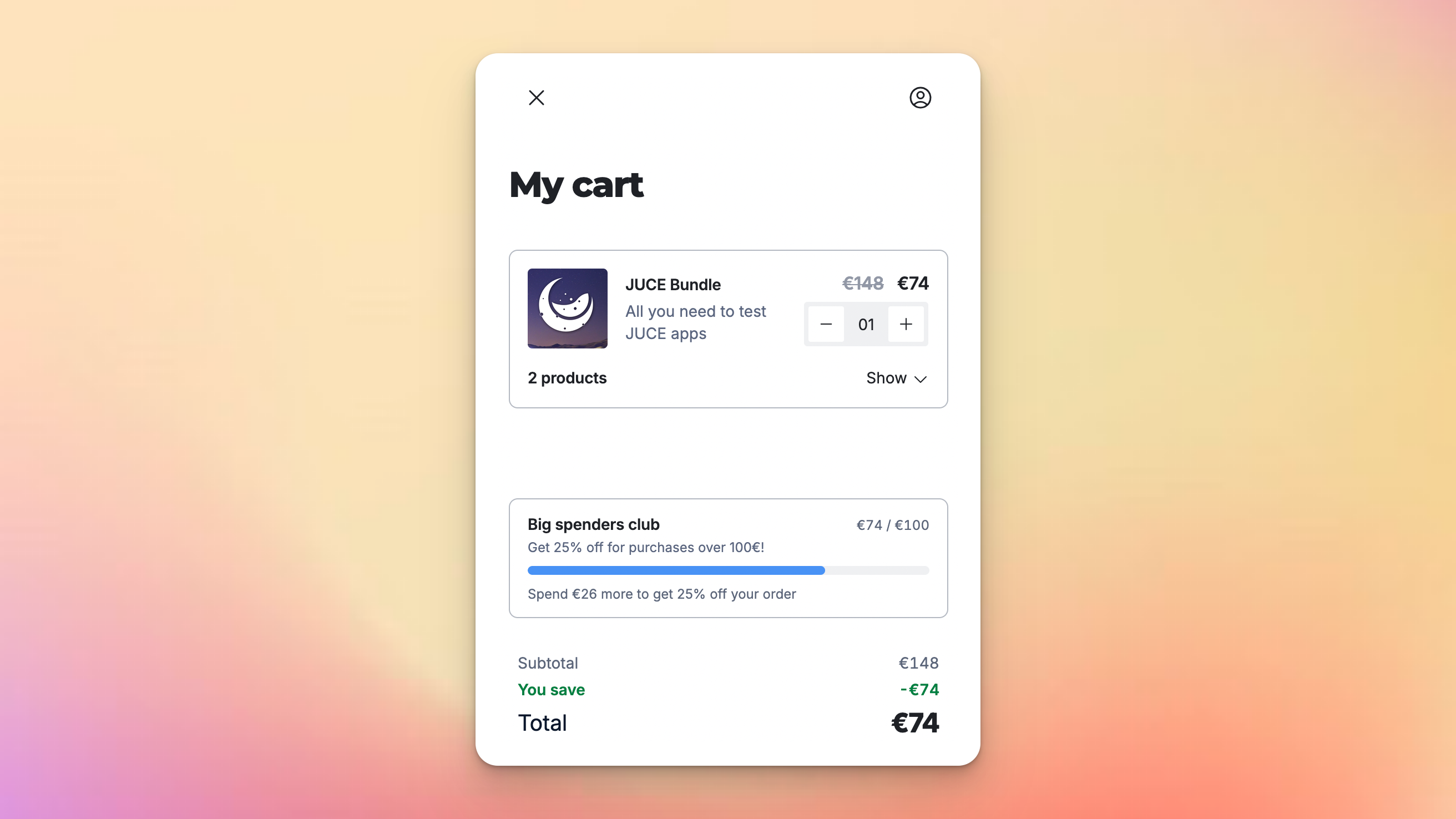
To make it clear to customers that an offer like this is unlockable, we display it as a progress bar in the cart which updates as they add items to it. Offers that give a cart discount are shown side-by-side with other offers, so customers can see both opportunities at the same time, and get the best deals out of their shopping experience.
Get started today by creating a new offer, selecting a cart total condition, targeting the cart:
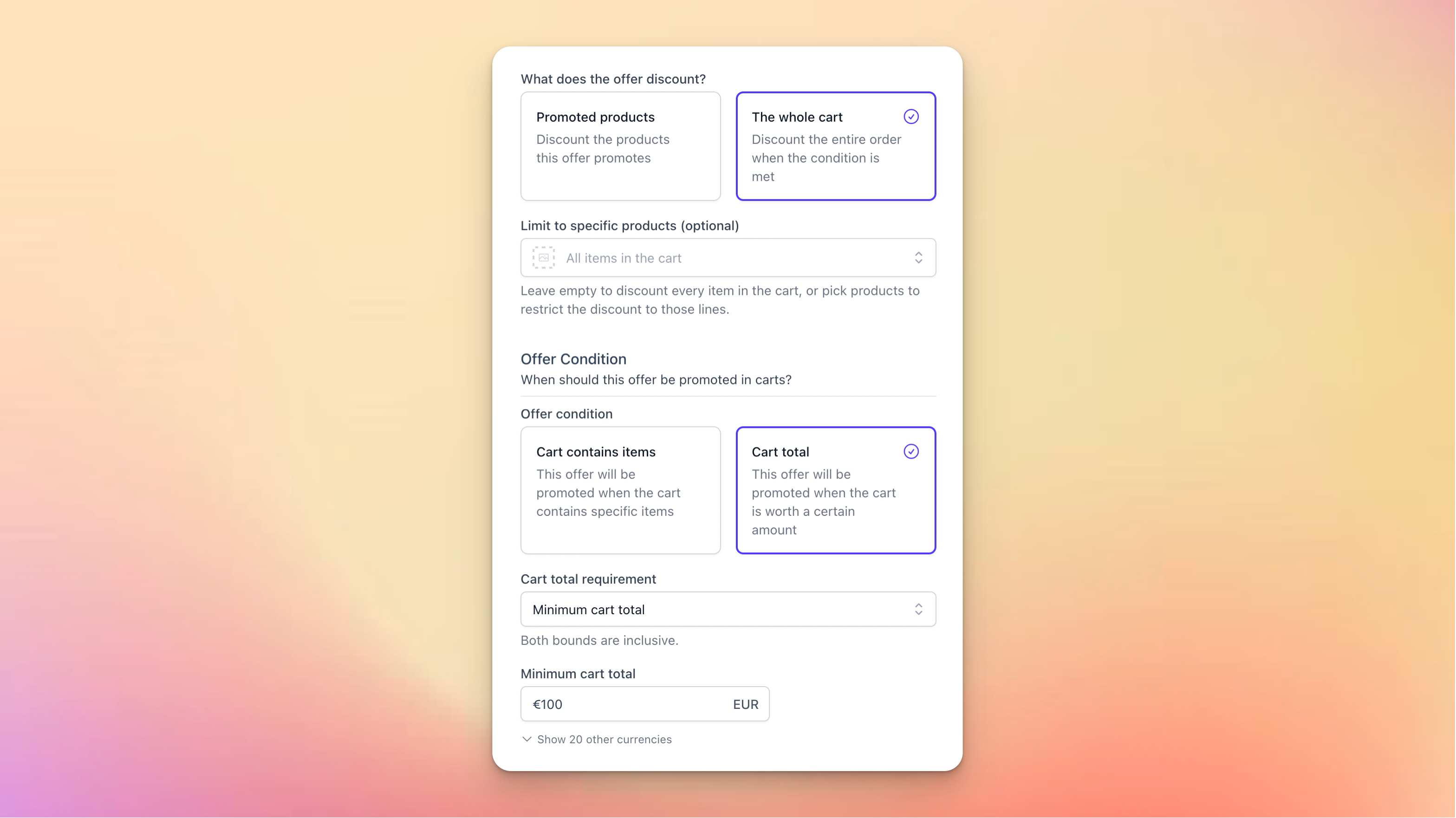
Read more in our article on Offers !
I know many of you are waiting on our Email Campaigns feature: hang in there!
We’re working hard, and the next product update should be about that!
July 1st, 2026
New
Improved
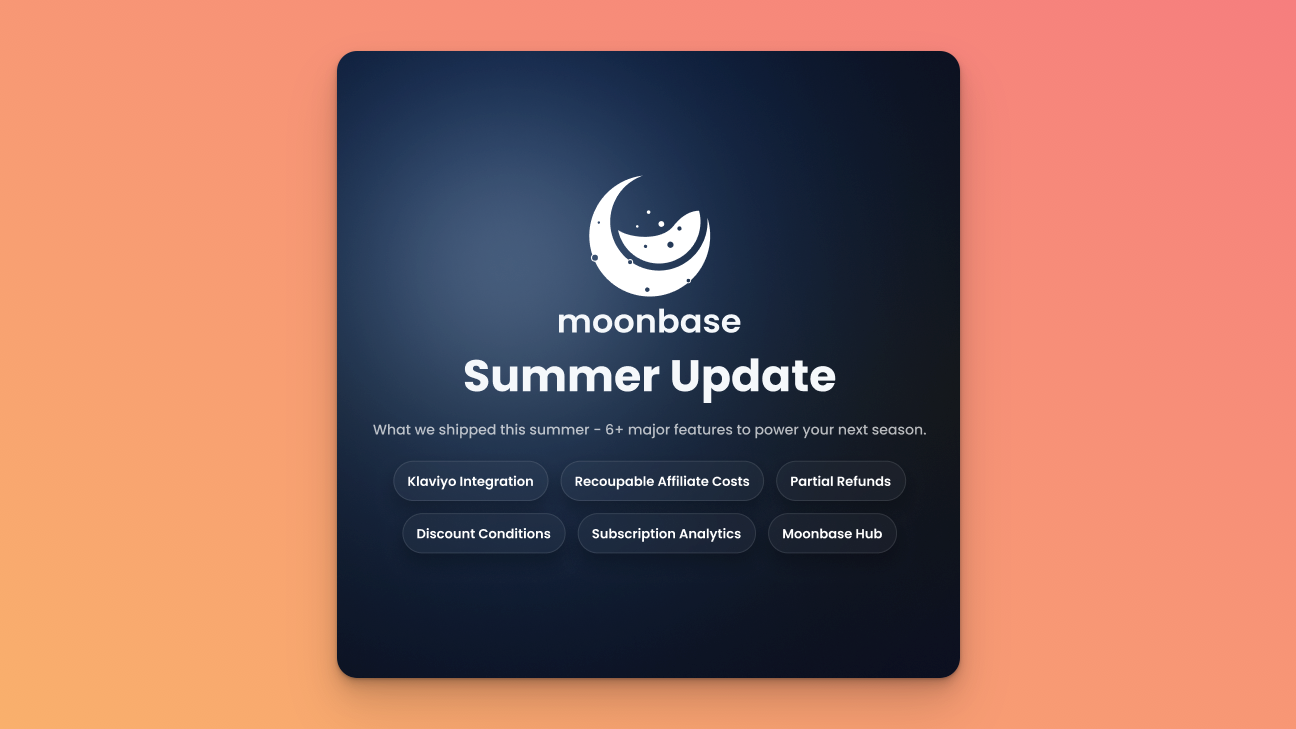
The Moonbase crew has been busy building all summer, and we have slew of features to share with you! We’ve taken the chance to touch up on a lot of areas, and to prepare for more marketing tooling coming soon.
Klaviyo Integration
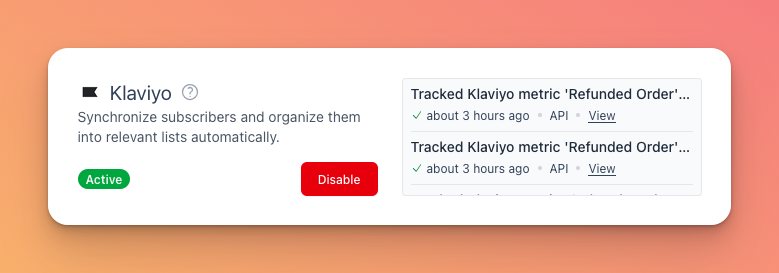
Klaivyo is perhaps one of the best and hottest marketing platforms, and we’ve now built native support for it in Moonbase.
Unlike the other newsletter-oriented platforms we currently integrate with, Klaviyo is a bit different. Moonbase will not sync over the segments you have in Moonbase, but rather all the metrics/events generated by customers doing things. This means you can more easily create custom segments and automations based on historical actions taken by your users to craft the exact marketing strategy you want.
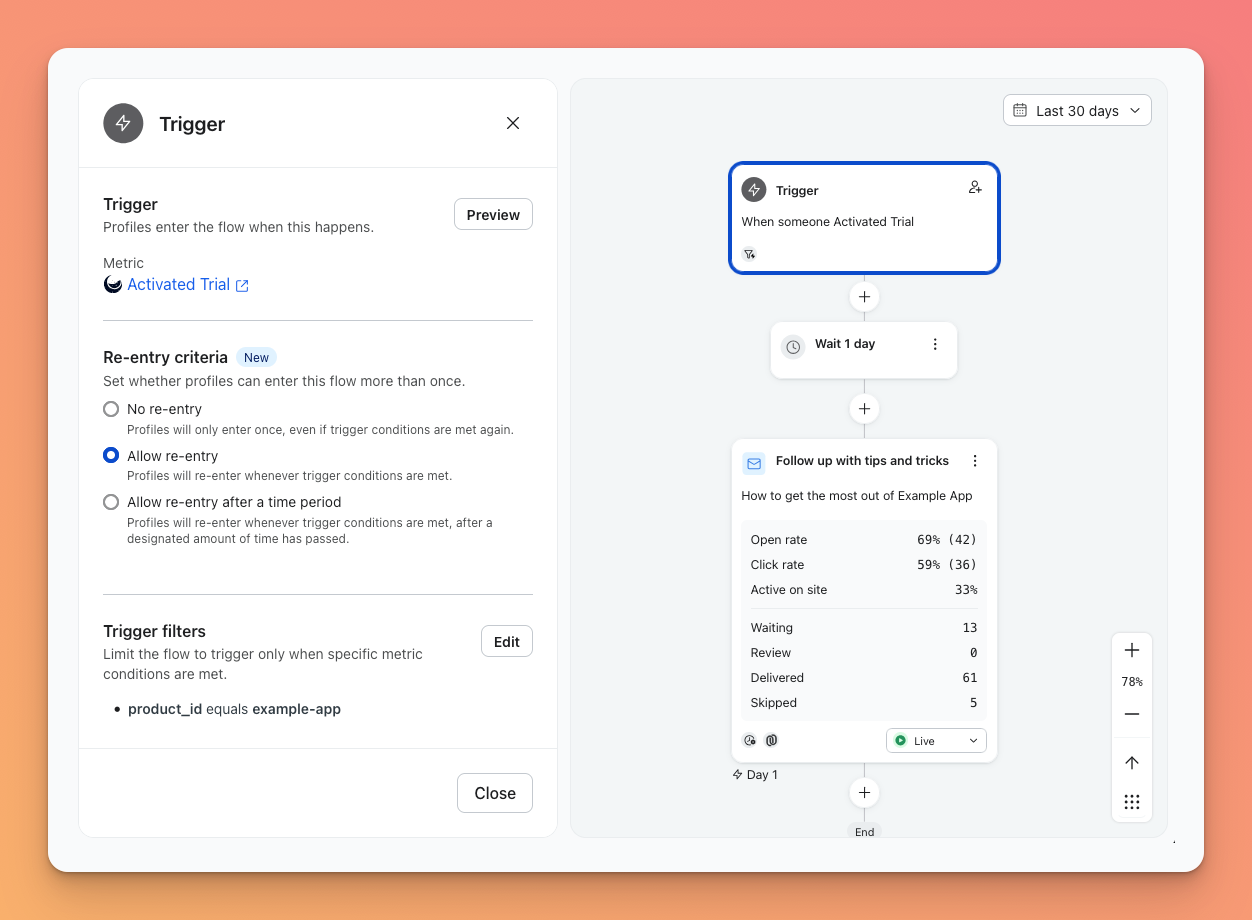
Read more in our docs on Klaviyo
Recoupable Affiliate Costs
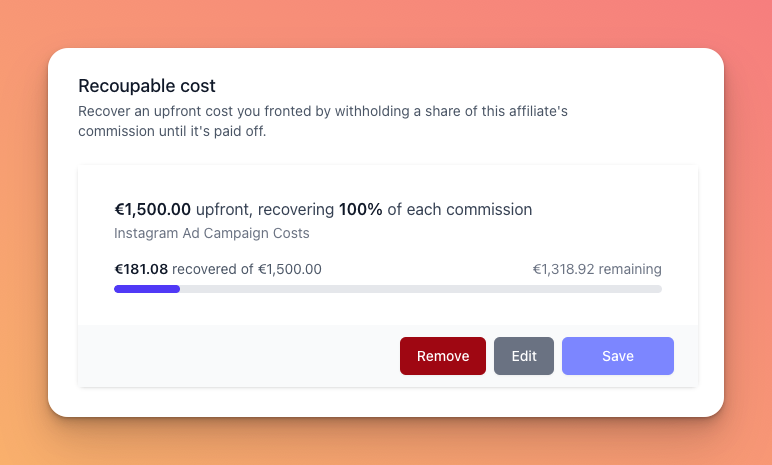
When working with partners to build & promote products, you may some times have upfront costs on your side that needs to be recouped before commission should be paid out.
This can now be tracked natively in Moonbase, where the initial sales that generate a commission can be (partially) withheld until the full amount is recouped. With this, you don’t have to track sales to figure out when to turn on the commission, but rather let Moonbase track it all for you, simplifying your operations even more.
Read more about this in our article on Affiliates
Partial Refunds
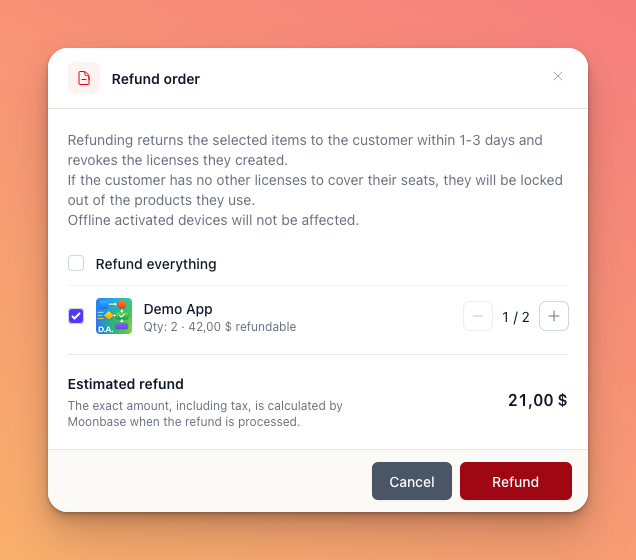
Although rare, some times customers buy more copies than they wish, or want only some of the product they bought to be refunded. This is now possible, with a new refund flow where you can pick exactly which items and how many to refund!
When refunding a partial quantity of a product, we will revoke the licenses that have not been activated by the user, to prevent any disruption.
More Discount Conditions
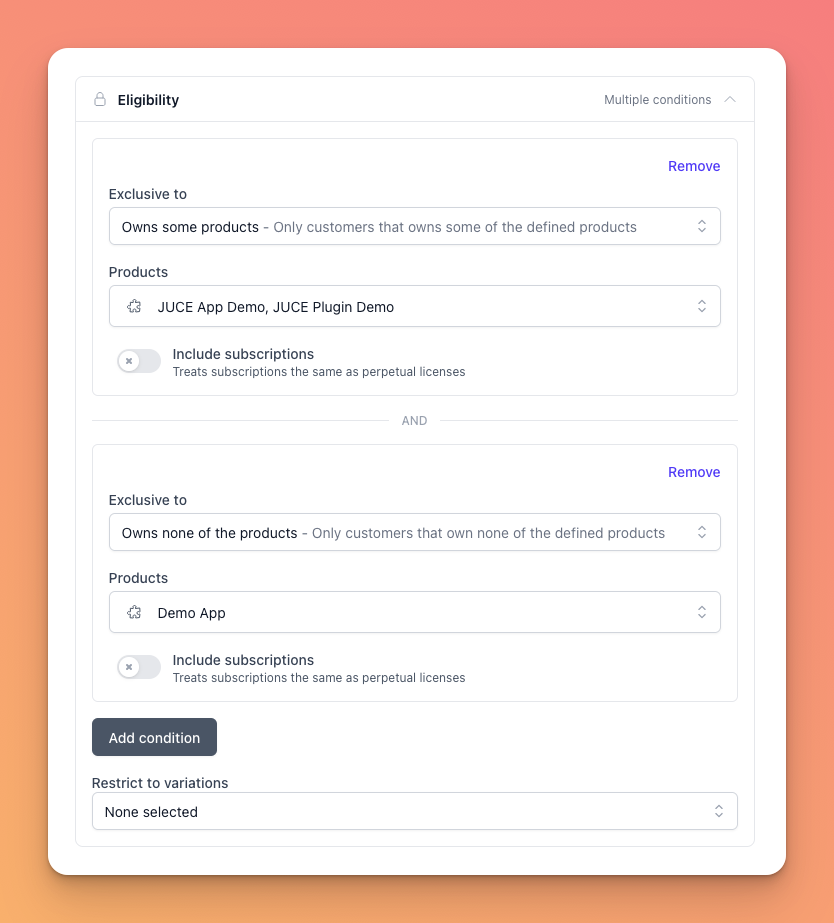
When configuring the exclusivity of a discount, you can now combine multiple conditions. And to make this super useful, we’ve added a new condition: “Owns none of the products”. This effectively lets you have discounts that apply only for the first “upgrade” to that product, while the customer doesn’t already own it. Ideal for larger upgrade discounts where you want one upgrade per customer.
Even More Subscription Analytics
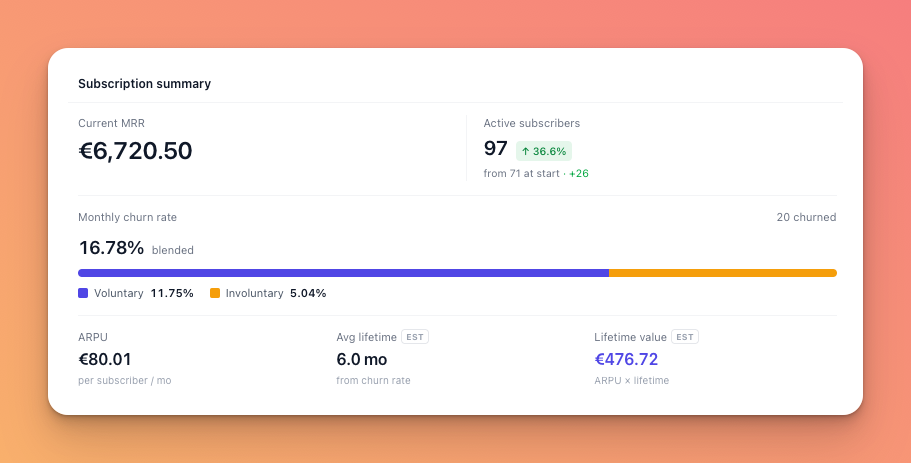
Just a few weeks ago, we launched our Analytics Dashboard Upgrades , and since then we’ve added a slew of additional subscription metrics to better understand MRR movement, cohort changes and churn reasoning.
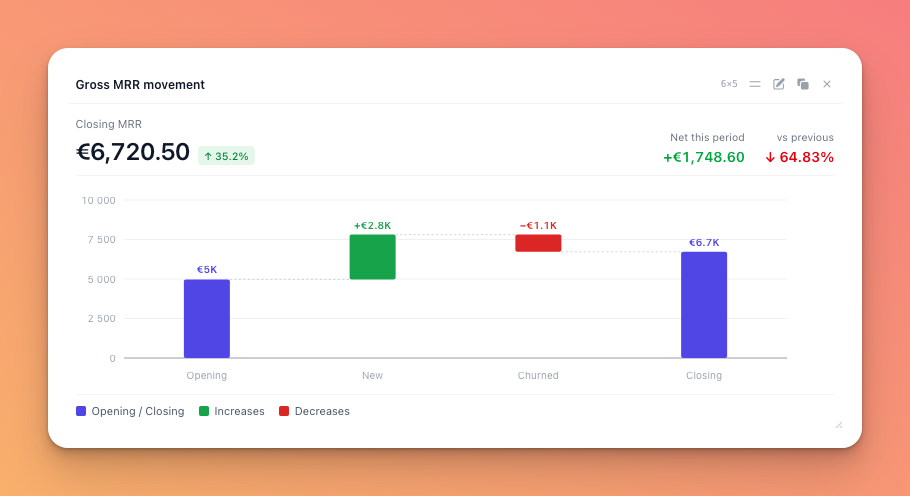
Subscriptions are getting more and more popular, especially combined with rent-to-own, so these new insights should help you understand the state of your business much better.
Moonbase Hub
Lastly, we’ve been working on something new. As plugin companies grow, and the portfolio grows, being able to install and manage all products in a single place becomes more and more important.
That’s why we built a Moonbase Hub. This is a branded installer manager for your customers only, installable on Mac and Windows, which can download, install, update and automatically activate all the products in your portfolio. We’ve partnered with Black Salt Audio to launch the initial version to their customers, but are now opening up for more companies. If you have a large portfolio and want a solution now, get in touch!
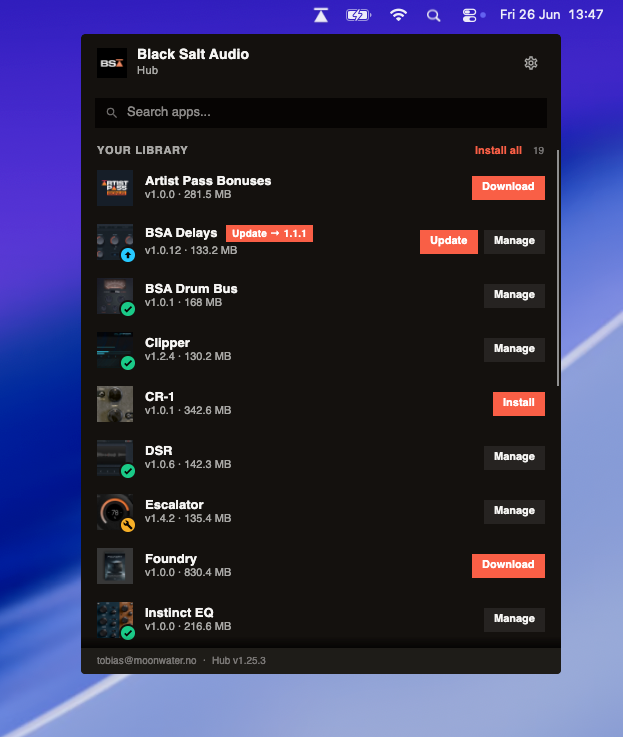
This install manager has been built exclusively using Moonbase APIs that you also have access to, meaning you can build the same! Stay tuned for an article on how we built this in a way we can auto-activate products during installs.
That’s it for now, we’re spending the rest of the summer working on Email Campaigns (and taking some vacation), you know where to find us for more feedback! 🚀
June 12th, 2026
Improved
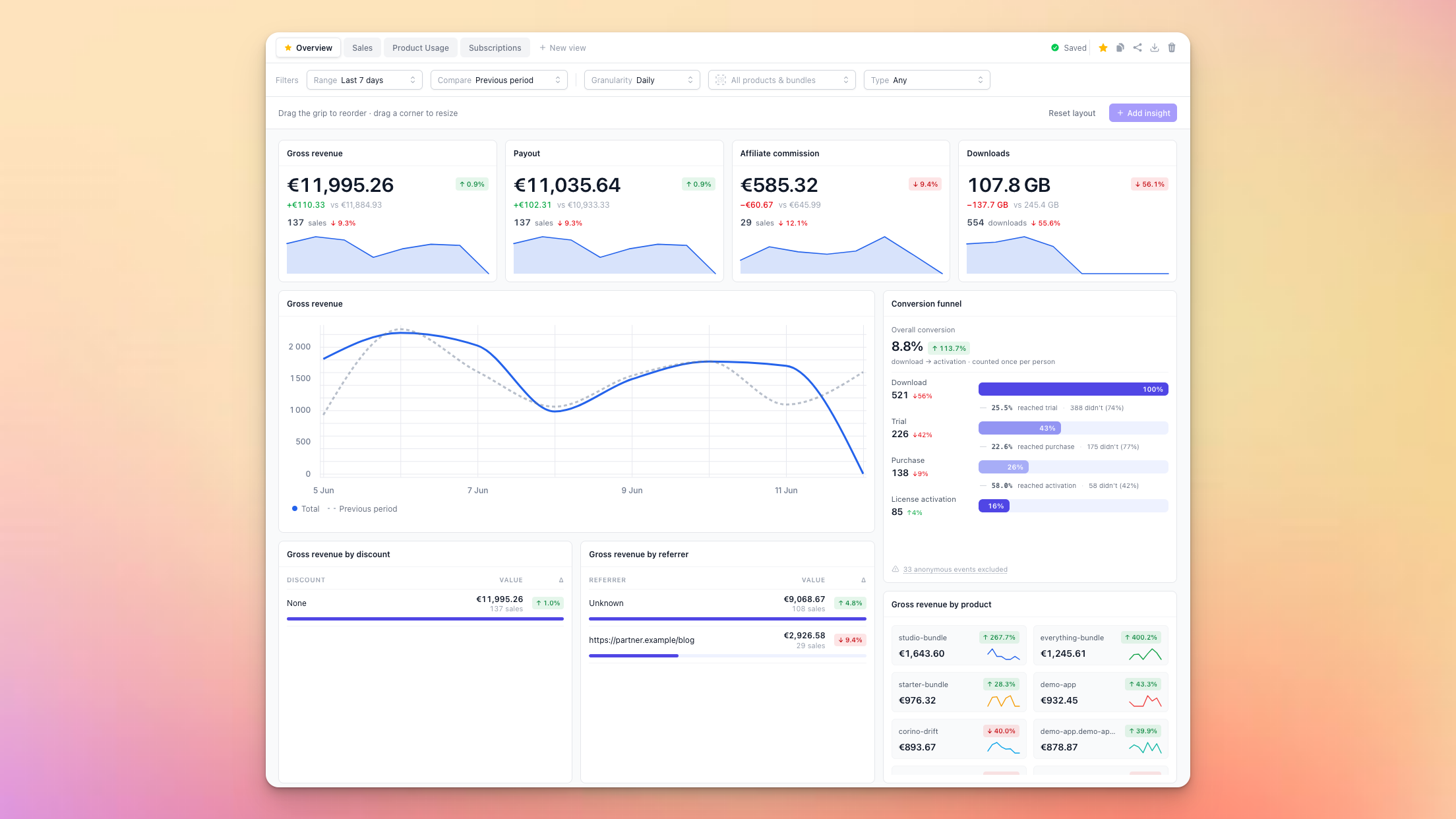
The Moonbase dashboard been with us from the start, getting minor upgrades now and then but was never easy to customize. Having more insights into your business and products, being able to share those with your teammates easily, is never a bad idea, so we’ve made some upgrades!
Multiple views
When diving into specifics, it’s handy to be able to have dedicated spaces for that, so the first improvement is having configurable views. We’ve created 4 of them for you out of the box:
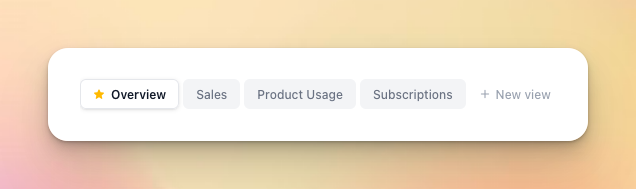
These cover the most common scenarios:
Overview has insights from all parts of the platform, from sales to downloads and licensing
Sales is made for understanding your customers and what they purchase
Product Usage drills down into licensing with trials and voucher redemptions
Subscriptions surfaces important metrics of the subscriptions active on your account
You can also export and import these views, so you can share your layouts with teammates. The views are stored on your user account, and synced between all your browsers.
New metric categories
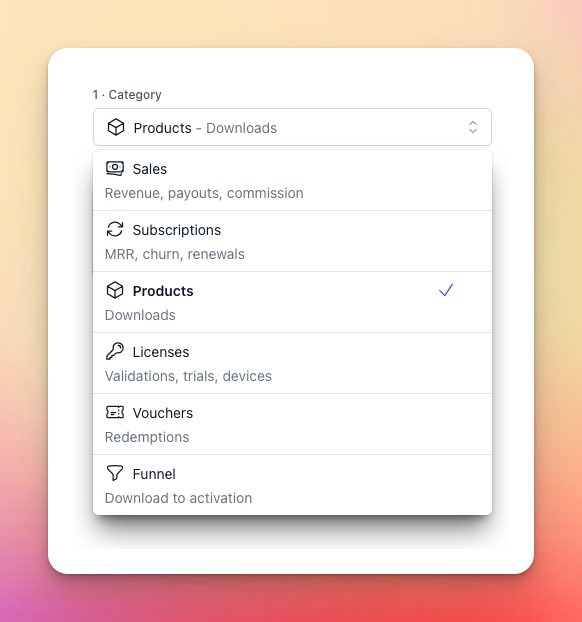
To be able to get more insights, we’ve exposed a number of new metrics:
Subscriptions - new category with a number of metrics:
Revenue (gross, net, payout, affiliate commission)
ARPU (average revenue per user)
MRR (gross and net, monthly recurring revenue)
New/recurring/churned (change in subscribers)
Licenses - existing category but with a new metric:
Devices (a count of unique devices seen)
Vouchers - new category with two new metrics:
Redemptions (codes redeemed to receive products)
Unique customers (how many redeemed codes)
Funnel - new category! Read more about this below ⤵️
New panel types
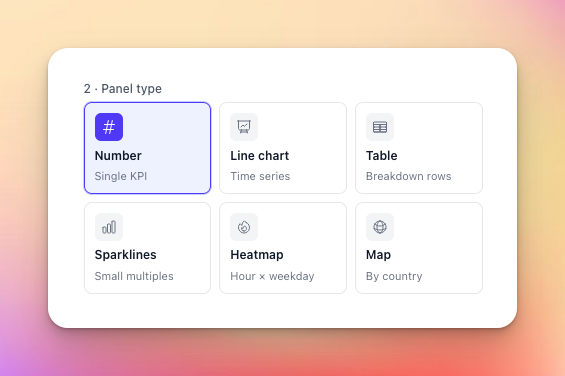
We’ve added three new panel types so you can build rich dashboards and get faster insights:
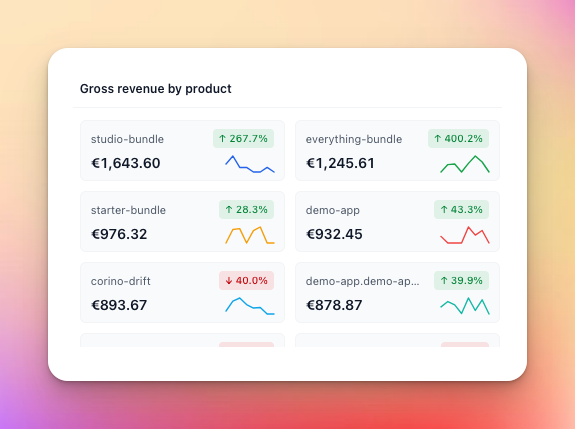
Sparklines
For a quick overview of trending changes:
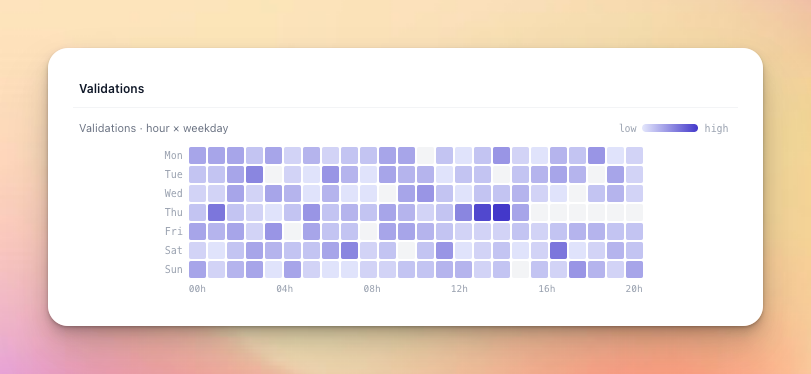
Heatmaps
To understand when your customers are active:
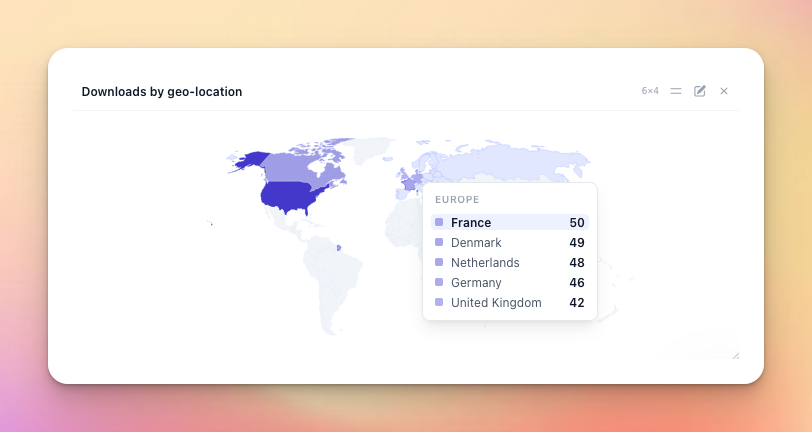
Map
To get a sense of where in the world your users are:
Funnel
The funnel is a special type of panel, only available for the funnel metric:
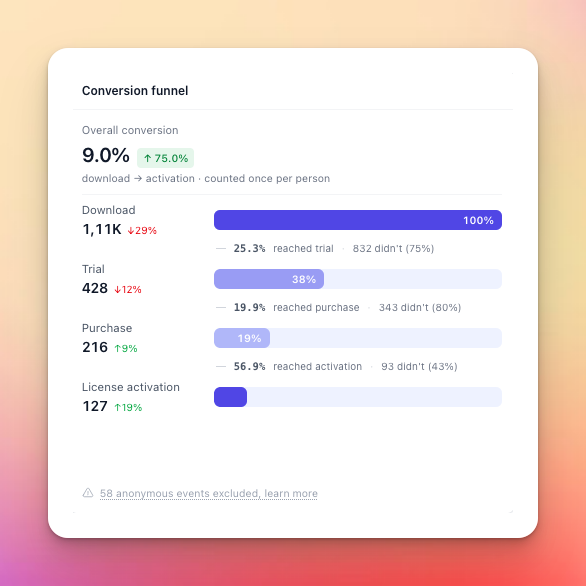
What this does is measure the conversion funnel for our most typical user journey:
A user downloads one of your products
They start a trial
Then make a purchase once satisfied with the trial
And finally activate their paid product
Since some of these steps can be performed anonymously, we cannot always get a solid measurement of this, and you may not even offer some of these steps through Moonbase! Even if a trial is started anonymously, we will correlate license activations on the same device to still recover as many signals as we can.
However, we believe it can serve as a general performance indicator, being able to correlate events for the same user across different parts of the common user journey. If this is not relevant for your business, you can always update your dashboard to show other insights instead.
We hope this change brings more insights to your business, please let us know what more you’d like to see! 🚀
May 27th, 2026
New
For many, the iLok Licensing Platform and the related PACE tooling around copy-protection is unmatched, so we’re happy to announce that there’s now native support for iLok licenses in Moonbase!
This integration comes with several features to handle common challenges:
Customers can connect their iLok account to sync all licenses
Merchants will get data on all licenses out from iLok
For merchants migrating to Moonbase, this integration will import all licenses for connected customer accounts, greatly simplifying the move
For merchants selling iLok-enabled products, this opens up a range of new strategies and techniques for selling software effectively, since all the Moonbase features are supported like:
Subscriptions with Rent-to-own
Partial bundle purchases
Upgrade- and cross-grade pricing and discounts
Get started today with this free integration!
Read more in our integration docs on the iLok integration.
The Customer Journey
Having a smooth customer experience across buying and activating software is crucial, and this flow is no different. When customers first create their account on your website, they will be greeted with this account connection screen on first sign-in:
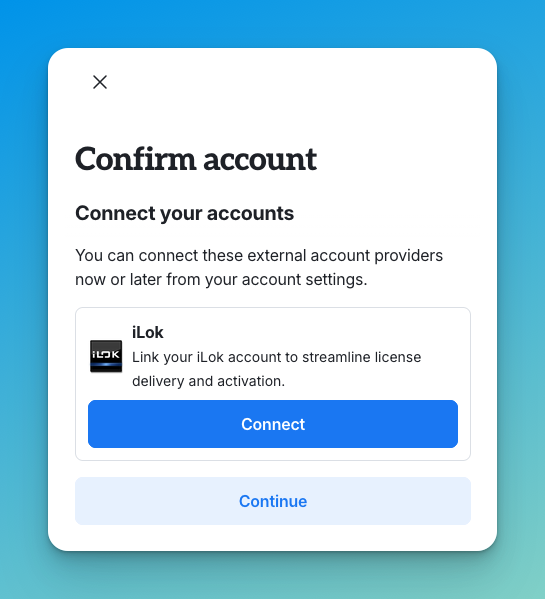
By connecting their account, they will be taken to the iLok website where they can enter the credentials of their iLok account, completing the connection. At this point, Moonbase will deposit any pending licenses into the connected iLok account, and the customer will be ready to download and install right from your website.
This is using the iLok OAuth flow, so you’ll also have user credentials available to use in any install managers or other tools you may make, to further streamline product activation.
Automated Data Sync
Once customers connect their account, Moonbase automatically syncs all data, including any new licenses added later through trial deposits or third-party code redemptions. With integrations across multiple marketing platforms, Moonbase also enhances your existing systems by enriching them with additional customer data from these deposits.
Since iLok deposits are mirrored in Moonbase, they will also unlock exclusive discounts for customers with linked iLok accounts, making sure they get the upgrade pricing you’ve configured for your products. They also get access to partial bundle purchases, since they will now be registered owners of your products where they have iLok licenses.
We’re still building out more features to make selling iLok products feel even better.
Do you have a specific use-case you want to support? Get in touch with us!
May 1st, 2026
New
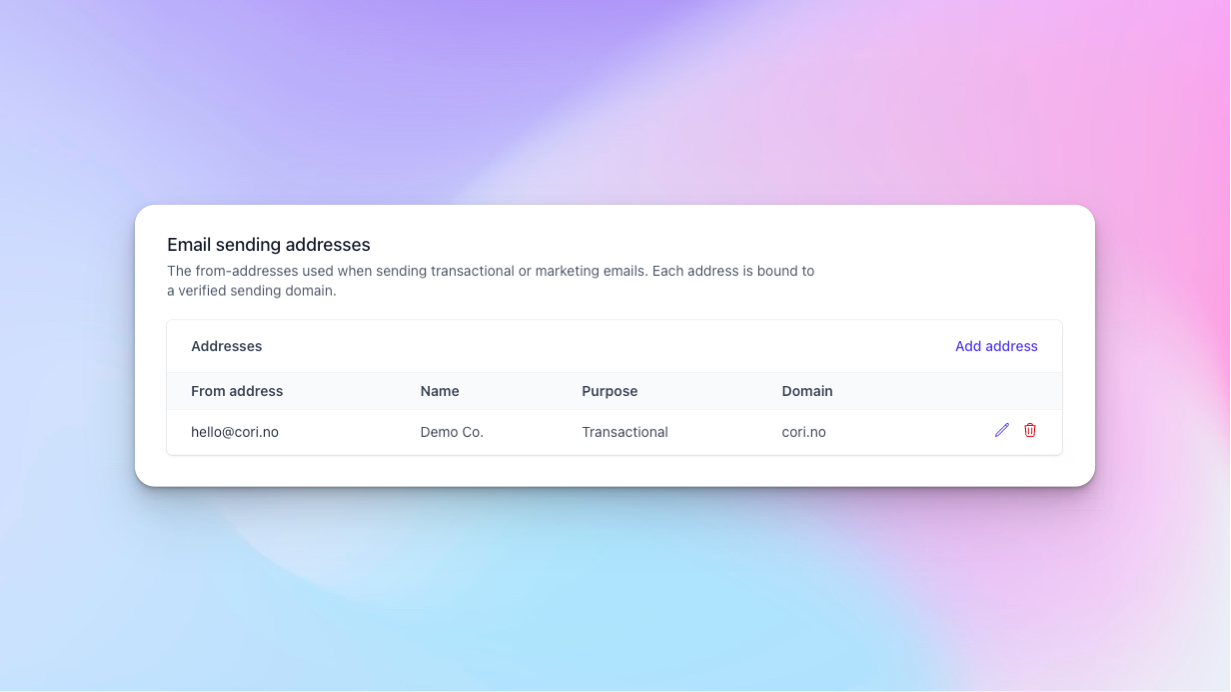
The Moonbase summer roadmap is all about better marketing tools, and as a first step towards this, you can now customize the domain being used to send emails from Moonbase!
Available now in your Moonbase account settings, you can add verified domains, and sender addresses from these domains. These addresses will let you configure what the “From” address in outgoing emails should look like, to truly make emails going to customers yours.
Verified Domains
You can add any number of domains you own as eligible sending domains in Moonbase:
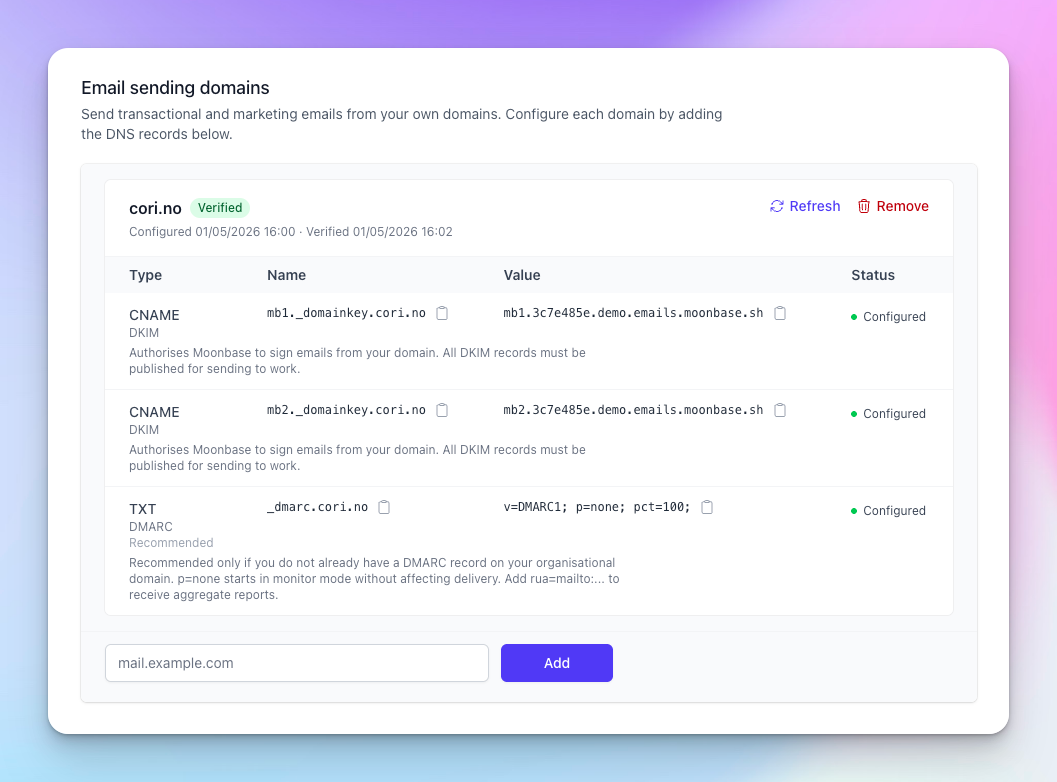
These require DNS records to be added, so we can send signed emails on your behalf.
Sender Addresses
Once you have a verified domain, you can add an address to send as, and you can choose for what purposes the address should be used:
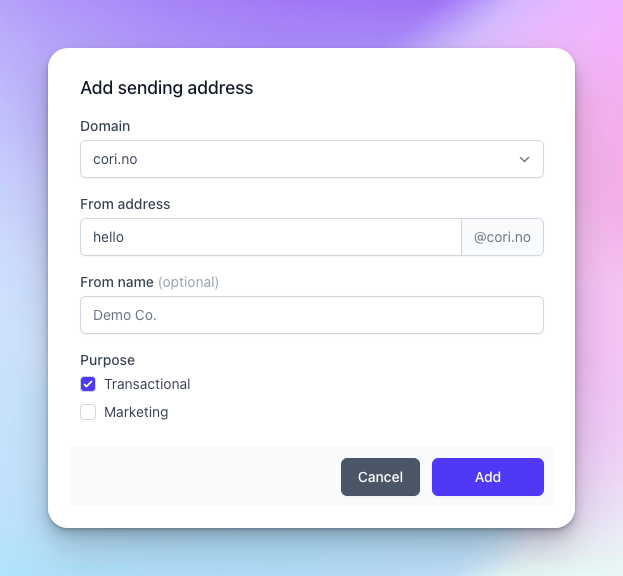
Transactional emails include all the current emails being sent from Moonbase, like order receipts, password resets, account invitations and more. Marketing emails will become available in Moonbase over the summer.
With a verified domain, and an address configured, emails going to customers will now come from your own domain:
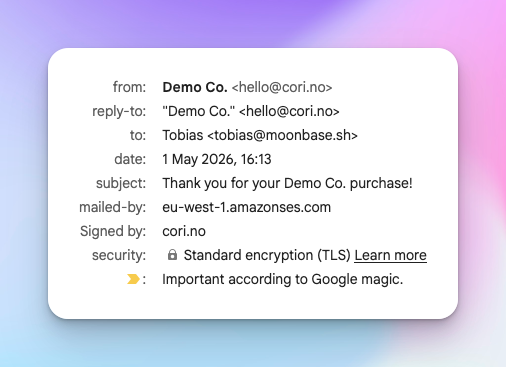
And that’s how easy it is! For our future marketing tools, having a verified sender domain will be required to send campaigns, so setting this up already now is a good idea.
Revamped Account Settings
As part of this change, we’ve also made some improvements to the account settings!
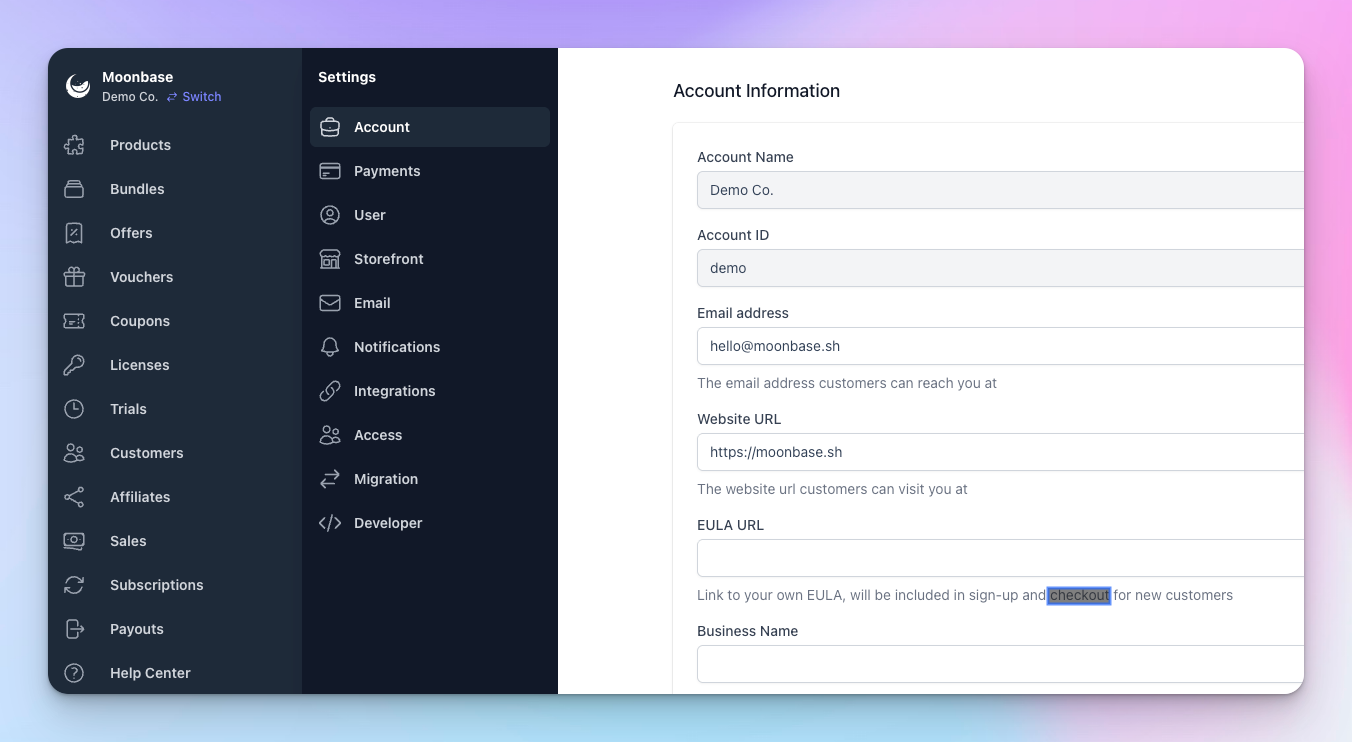
You’ll now get a better overview of all your account settings, instead of the old single long page. This is also now where you’ll find all your integrations, as well as all the settings you’ve configured before.
April 15th, 2026
New
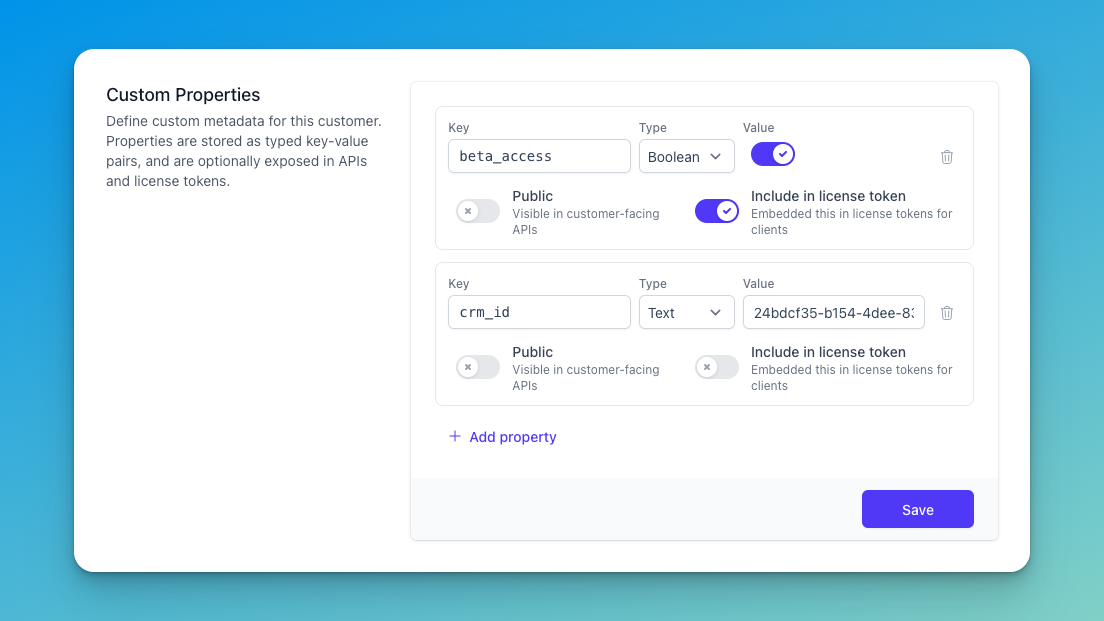
Some times, you just need to store some additional metadata on your core entities, like a “CRM ID” on a customer, an “external order ID” on a license, or special entitlements that a trial may have. Until now, you would have to store this in your own database, to be able to enrich your products with the properties you need.
Today, this is made easier using Custom Properties right in Moonbase! These properties can be stored on all the main resources in your Moonbase account:
Products, Product Releases & Bundles
Licenses & Trials
Vouchers & Coupons
Customers
They support typed values, which means you can build up meaningful content on each entity, and consume them easily through our APIs. To make it easy to update these on the fly, there’s a new section in the Moonbase app to update the properties of these entities easily:
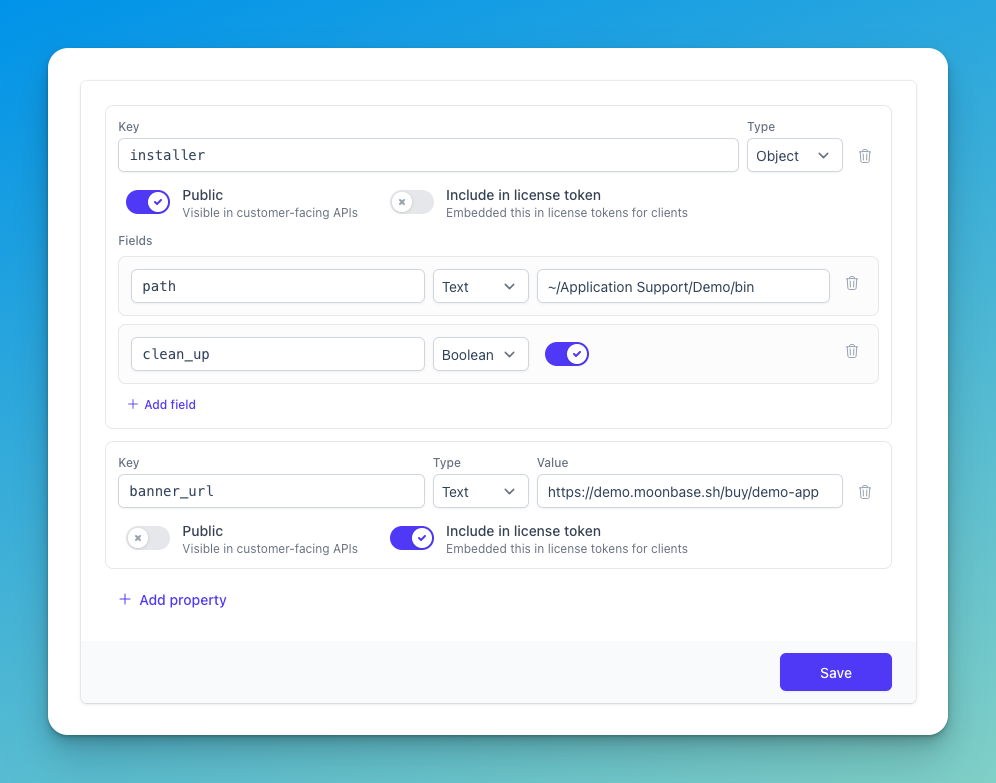
These properties can be used for anything you’d need to store and read, either through our core APIs, on your storefront using our public APIs, or even verified inside license tokens! There is a limit on how much content you can store in this: 48Kb worth of data, but that should be plenty for most use-cases.
Core API
Our core API has been updated with endpoints to update these properties across all entities, as well as include them in responses from existing endpoints. This means you can build rich integrations with other systems, and embed more data without needing your own database.
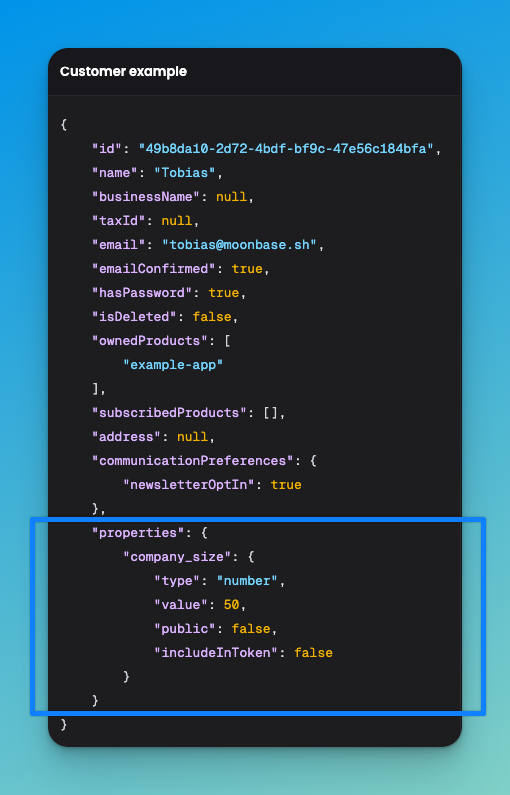
Our documentation has been updated, and you’ll find docs on custom properties.
License Tokens
In certain cases, you may want these properties to be available in your applications in a verifiable manner. That’s why for properties on customers, products, licenses and trials, you can toggle their inclusion in license tokens. This means they will be part of the signed claims as part of issued tokens:
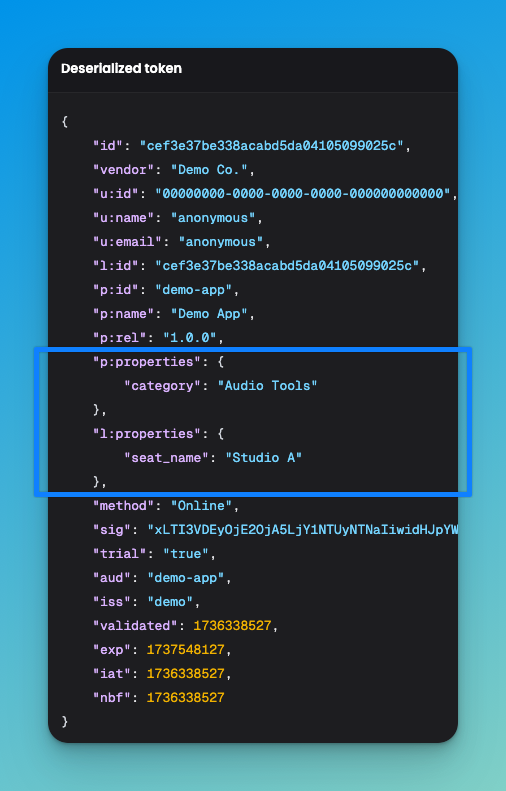
What this also means is that you get these properties through our SDKs automatically as applications re-validate their tokens over time.
April 3rd, 2026
New
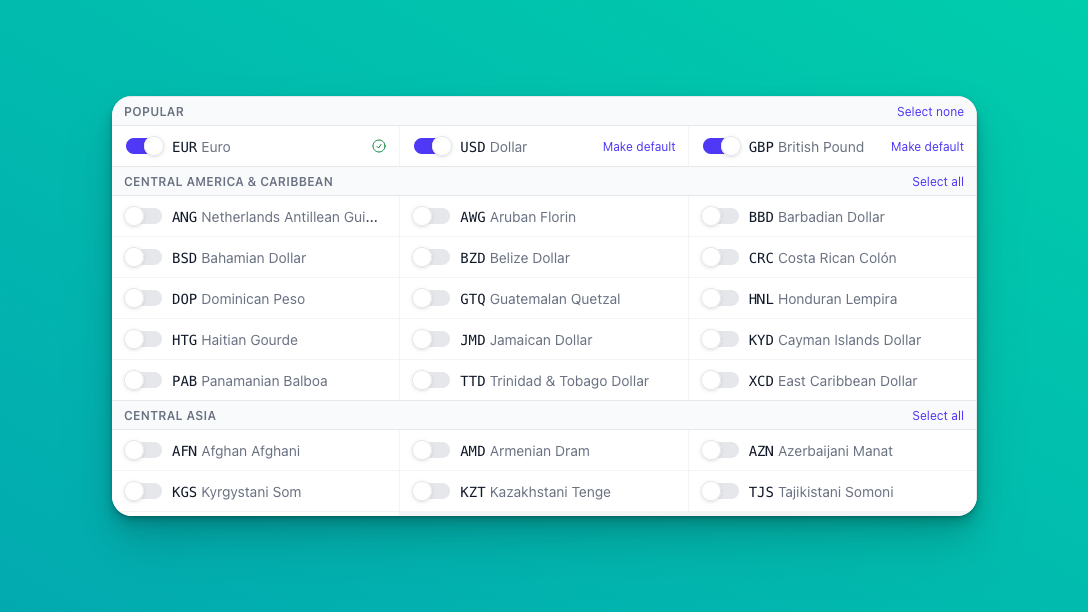
Being able to offer customers your products shown in their local currency has been proven to increase conversion rates by over 5% in some cases, and it’s now natively available in Moonbase!
You can choose yourself how Moonbase should convert and prettify prices, and for which currencies. We currently support a total of 109 different currencies across all continents, and each one of them can be enabled or disabled for your Moonbase account. Get started today by heading to your account settings and enabling currencies relevant for your markets:
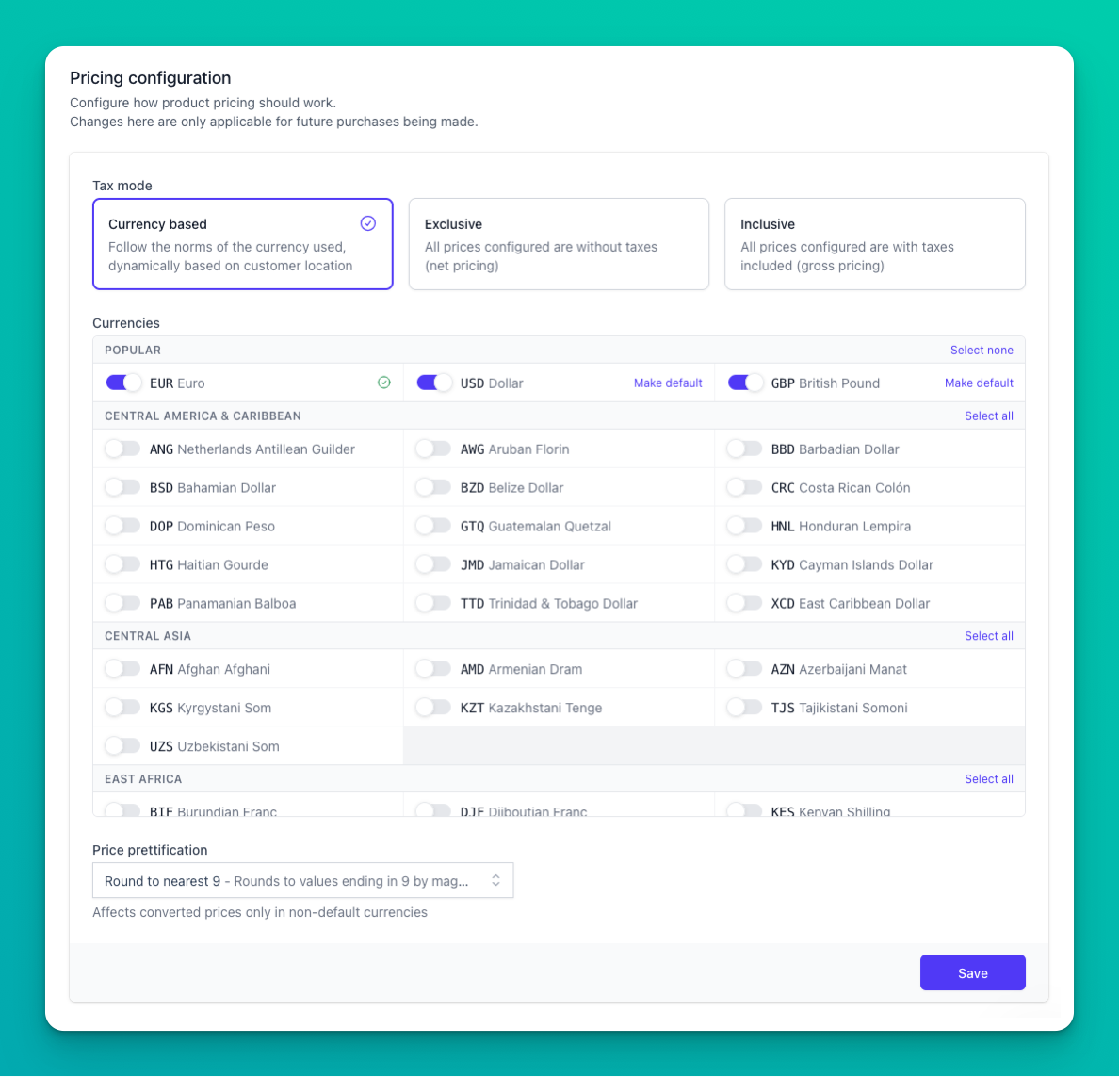
We’ve added a number of price prettification strategies, to make sure converted prices match the style of your normal prices. Read more about this new feature in our article on Currencies .
Setting product pricing
As always, you have full control over your product pricing, and can set prices in however many currencies you wish. You will always see the currency configured as the default currency on your account, with the option to expand the input to override specific currencies if you need to do that. To make it easier to get a feel for international pricing, we preview what prices customers may see in the different currencies, all based on the default currency price:
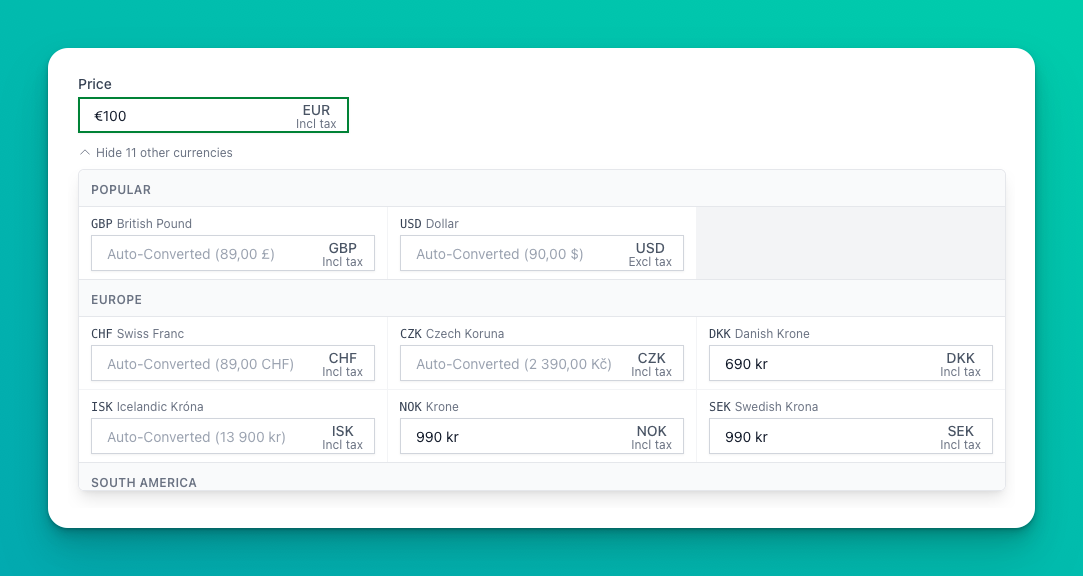
When converting between currencies that are using different tax modes (exclusive & inclusive), we automatically adjust the price to account for taxes, to make sure you still receive the original value configured.
Updated dashboard
With this explosive growth in the number of currencies you can sell in, we’ve simplified your dashboard. Before, you would see sale totals for each currency sold, but now we show your sales totals in your payout currency. This should make it easier to get a feel for how much revenue you will see as a business, and tie it closer to your KPIs, avoiding currency conversion math while looking at measurements.
Conversion fees
We try to keep fees as low as we can for all Moonbase features, but currency conversion is never cheap. That’s why we’ve updated our Fees & Costs with the relevant changes for this new feature: a 3% transaction fee for converting local currencies. However, to make sure you get the full product value from sales, this fee will be levied on customers by default, increasing the purchase amount enough to cover the conversion. In the case you specify the local currency prices, this fee will be taken from you, as the merchant.
If you have any feedback or questions regarding this big upgrade to Moonbase, hit the reply button! We appreciate any input on making this feature even better 🚀
March 30th, 2026
New
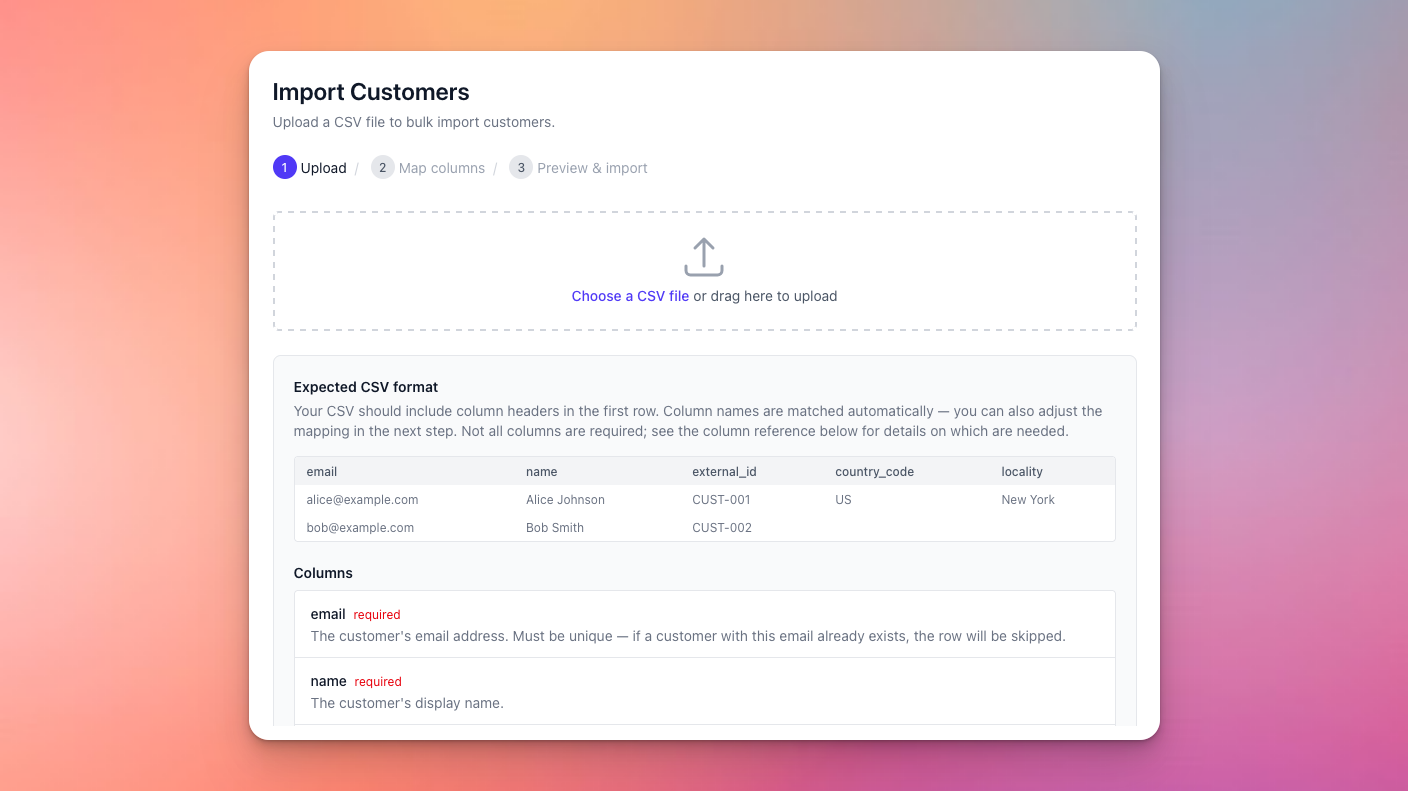
We’ve always had powerful import APIs to import customer and license data into Moonbase, making sure you can transition seamlessly from your existing infrastructure to Moonbase, and today we’ve made it even simpler to use!
If you want a less technical approach to data import, you can now use our new import tools, found directly in the Moonbase app. These allow you to upload a CSV file with all the data you want to import, with support for a number of fields on both customers and licenses.
Head over to the “Customers” or “Licenses” tab to get started:

The wizard will take you through uploading and mapping your CSV file, and you’ll get a preview of all data you will import:

This import process can handle large amounts of data, so even if you have tens of thousands of customers to import, it will be handled in a safe and consistent manner. Once done, you’ll be able to download the results of the import, with a full report on which rows were imported, with which IDs, and which rows failed.
To learn more about the types of data that you can import and how it works, read our article on Using the import tool.
February 24th, 2026
New
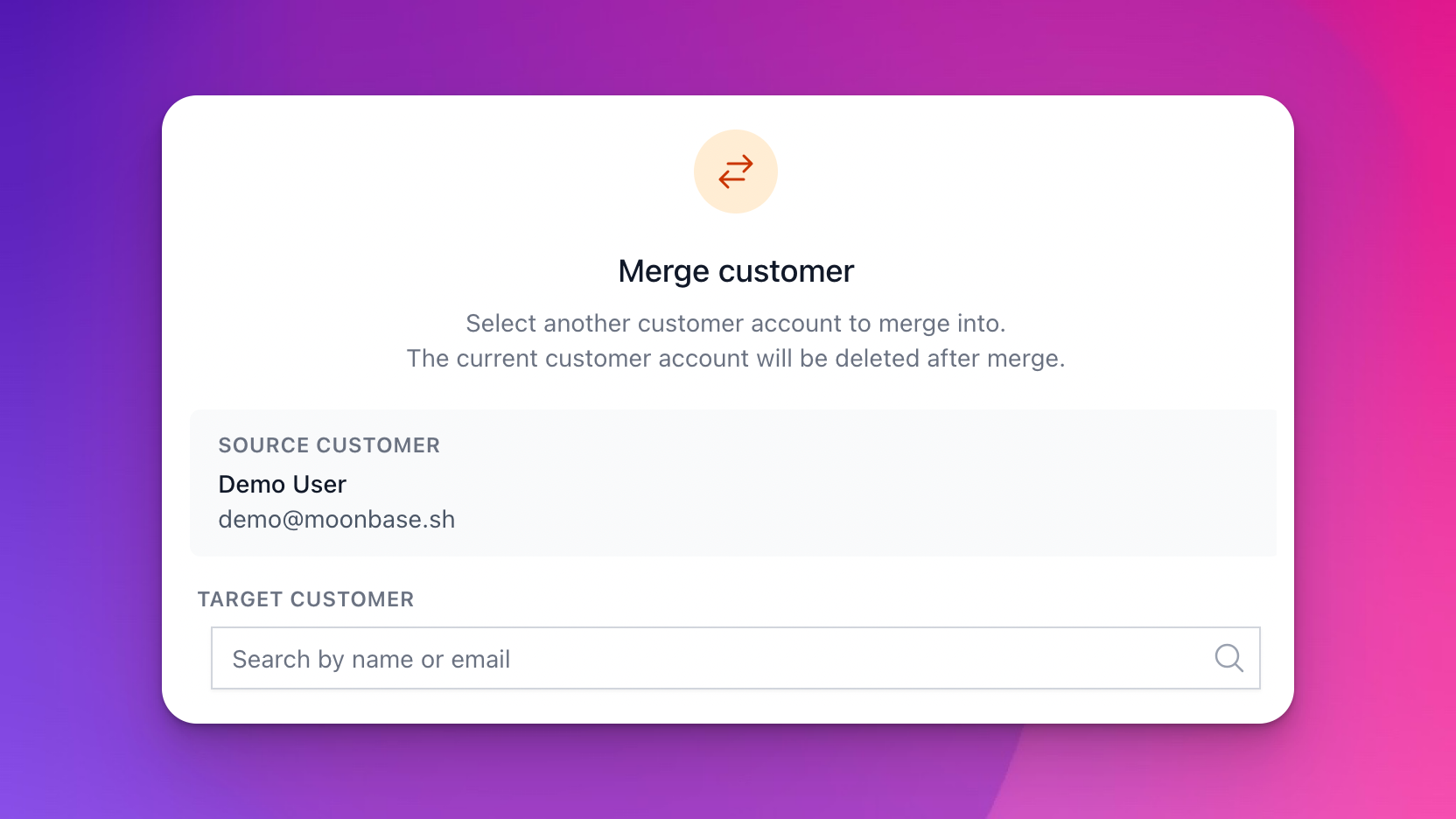
Every now and then, customers will inevitably sign up with the wrong email address, a typo in the domain, or any other quirk that prevents them from accessing their purchases. Normally, merchants can simply update the email address of the customer account, but often the customers themselves end up creating multiple accounts, making the situation messy.
Today, this is simplified with our new customer account merge!
Start by opening the customer account that should be merged into another, and head to the “Danger zone” section:

When you start this process, you’ll be given the opportunity to search for the target customer, which you want to use as the destination for all the data on this customer. Once selected, you will get a preview of what will be moved over:

We currently support transferring:
Orders placed
Trials started
Licenses & their activations
Subscriptions (both active and expired)
Emails going to the customer (for historical purposes)
Group memberships (for segmentation purposes)
Voucher code redemptions
In addition to this, we also merge relevant customer data like billing details and communication preferences, to make sure you don’t lose anything in the process.
Remember that the option to re-send receipts for purchases always uses the current email address of the customer, so after merging two accounts, you can re-send the receipt if the customer never received it to begin with!
February 9th, 2026
Improved
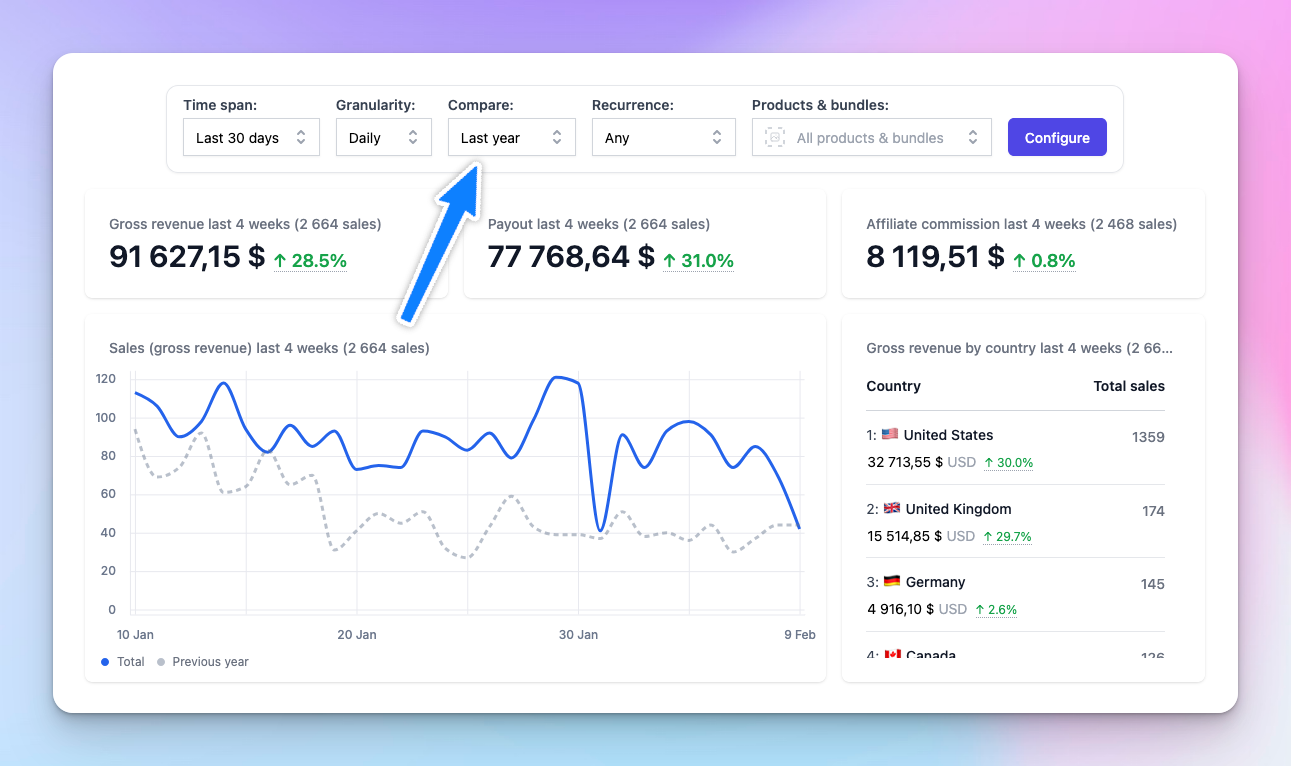
We’ve added a new “Compare” option to the analytics dashboard, allowing you to overlay historical data directly on your current view. This makes it much easier to answer questions like:
“Am I performing better this year than last year?”
“How does this year’s Black Friday compare to last year’s?”
“Is my growth consistent week over week?”
When selecting a comparison period, you can choose from:
Previous period: the same number of days immediately before your current date range
Previous month: the same days in the prior month
Previous year: the same date range from last year
Each panel will have relevant changes between the two periods shown, and you can hover the percentage change to see the actual value of the last period.
We’d love to hear your feedback on this improvement!