Security Update: Two-Factor Authentication, Passkeys, Team Roles and more!
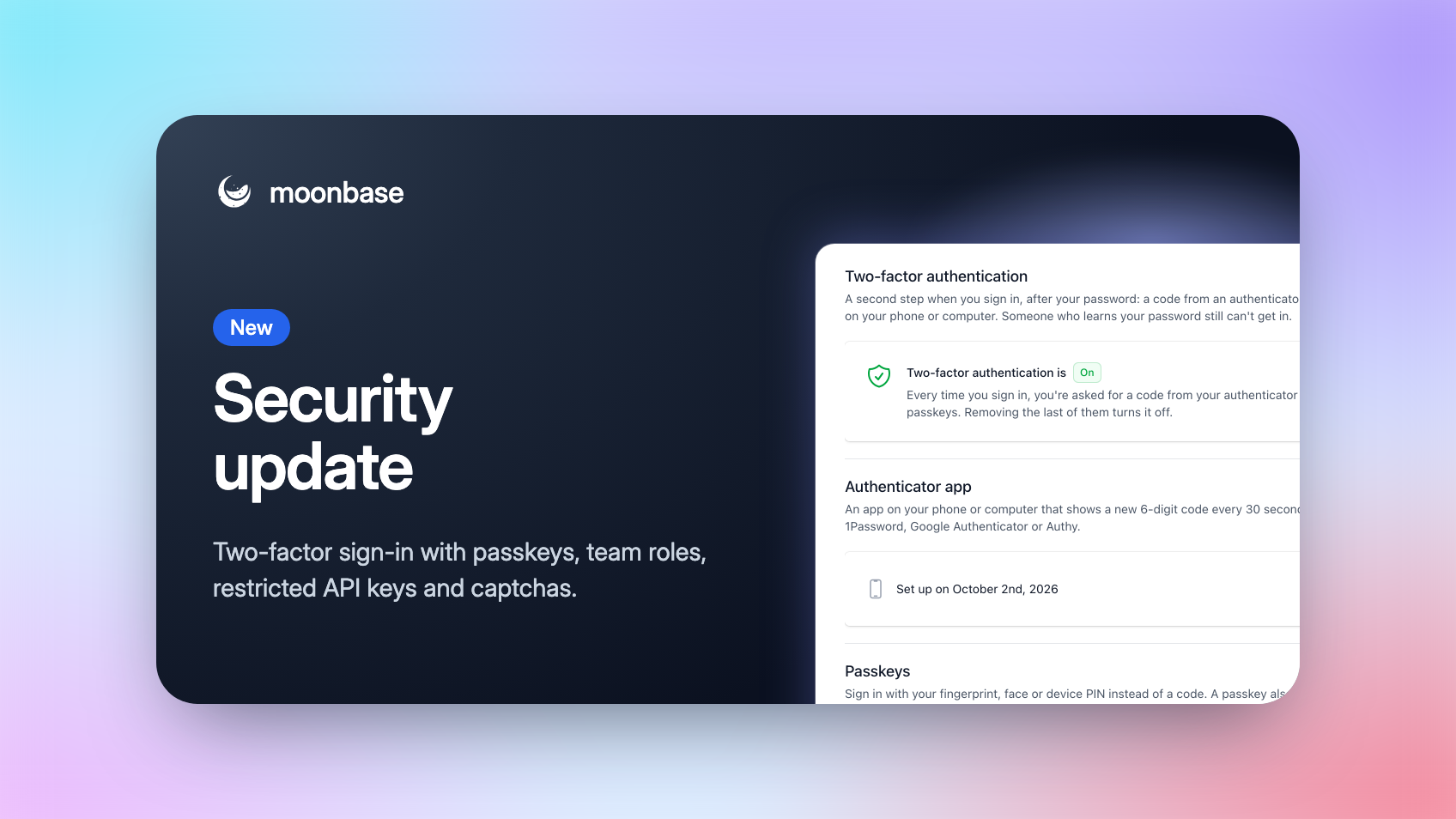
Your Moonbase account holds your revenue, your customers and the keys to your licensing, so it deserves more than a password. Today we're launching a set of security features we've been working on for a while: two-factor authentication with passkeys, roles for your team, API keys you can restrict, and a captcha for your storefront.
Nothing changes until you turn it on. You sign in exactly as before until you set up two-factor authentication, everyone already on your team keeps full access as an Admin, your existing API keys keep full access, and the captcha stays off until you switch it on.
Two-factor authentication, with passkeys
With two-factor authentication on, signing in asks for a second step after your password, so someone who learns your password still can't get in.
Open Account settings > User and you'll find it right under your password. Use either of these, or both:
An authenticator app: 1Password, Google Authenticator, Authy or any other app that shows a 6-digit code
Passkeys: sign in with your fingerprint, face or device PIN. A passkey saved in iCloud Keychain, Google Password Manager or your password manager works on all your devices
You also get ten one-time recovery codes for the day your phone goes missing. Every change asks for your password again, and we email you whenever something changes.
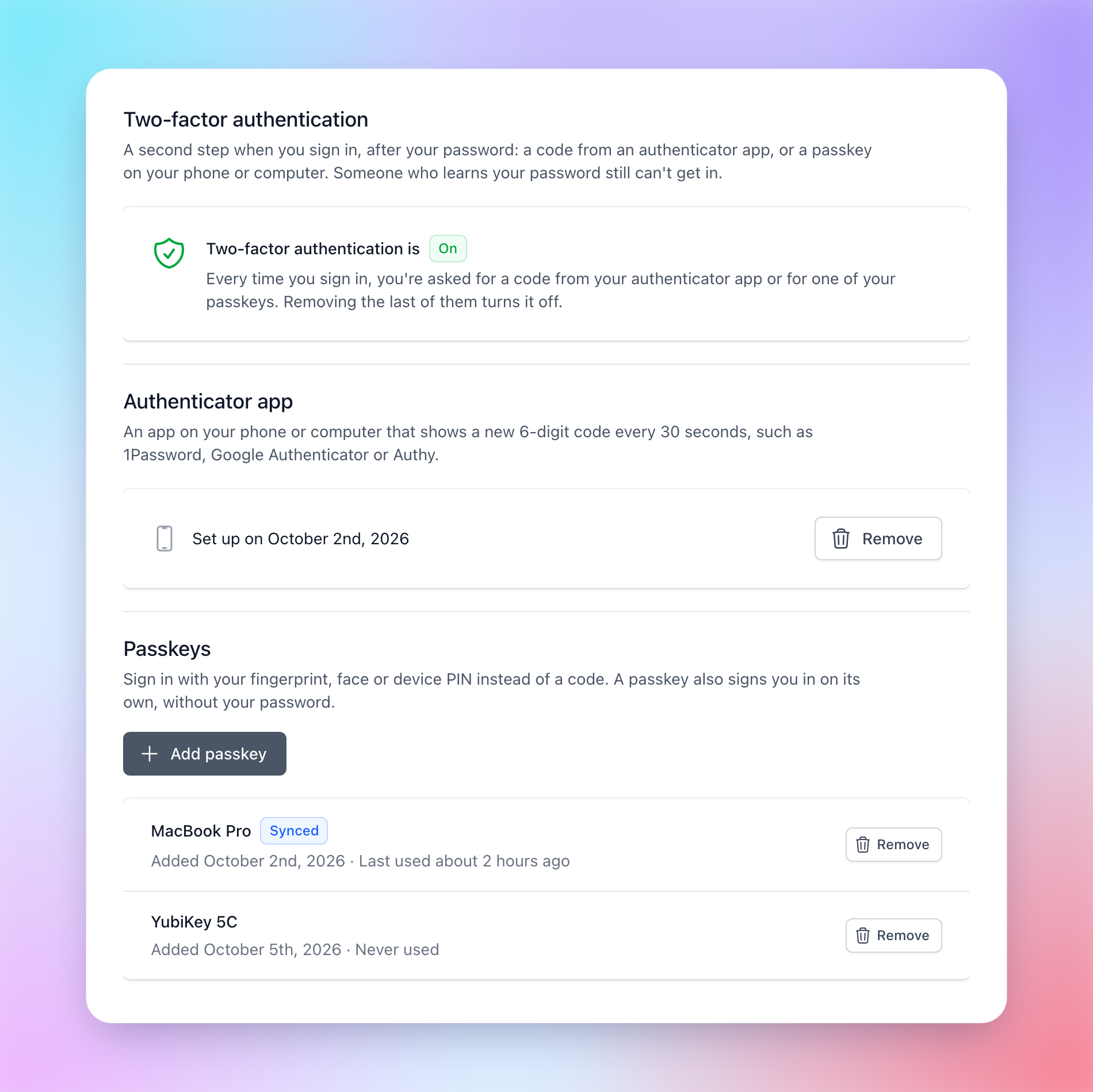
Passkeys are also the quickest way in: click into the email field on the log-in page, pick your passkey from the browser's suggestions, and you're signed in without typing an email or a password.
Anyone new, whether they're opening an account or joining your team, is offered two-factor authentication as soon as they've chosen a password, and on Account settings > Access, a green shield next to a name shows who on your team has it on.
It takes less than a minute to set up, and we strongly recommend it, especially for owners and admins!
Team roles
Until now, everyone you invited had access to everything. That made it hard to bring in a freelance developer, a marketing agency or a support hire without also handing them your payouts and API keys.
Everyone on your team now holds one or more roles, and only sees the parts of Moonbase those roles open:
Admin: everything, including the team, account settings and developer access
Finance: sales and refunds, subscriptions, payouts and the dashboard
Marketing: campaigns, automations, offers, promotions, coupons, vouchers, affiliates and the dashboard
Products: products and bundles, with their pricing, releases and licensing
Support: customers and their licenses and trials, sales and refunds, subscriptions
Developer: API keys, webhooks and integrations
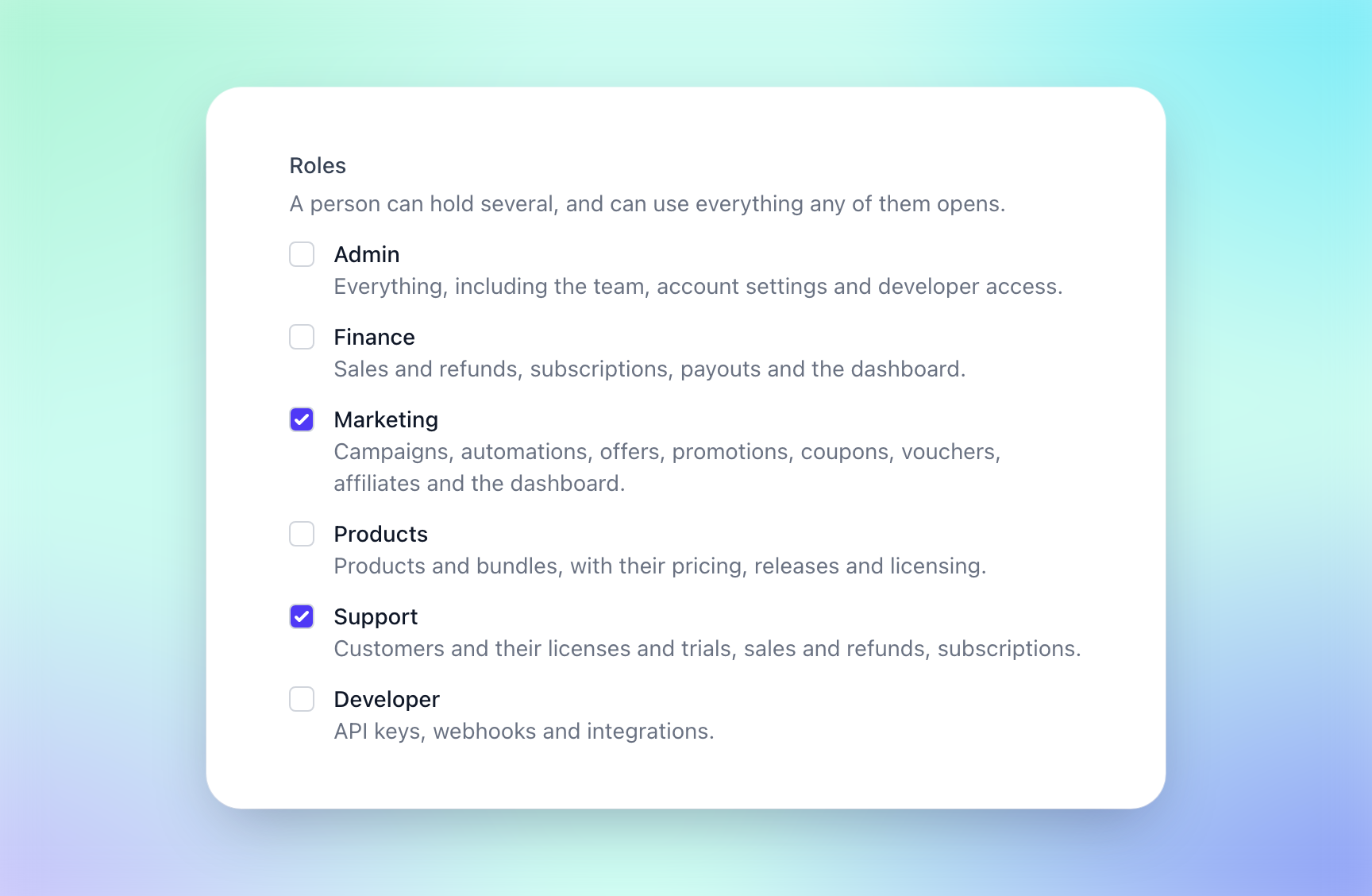
Tick the roles when you invite someone on Account settings > Access, or click Roles on their row to change them later. A change reaches them within a minute, without signing them out, and revoking someone's access now locks them out within a minute too, even if they're signed in.
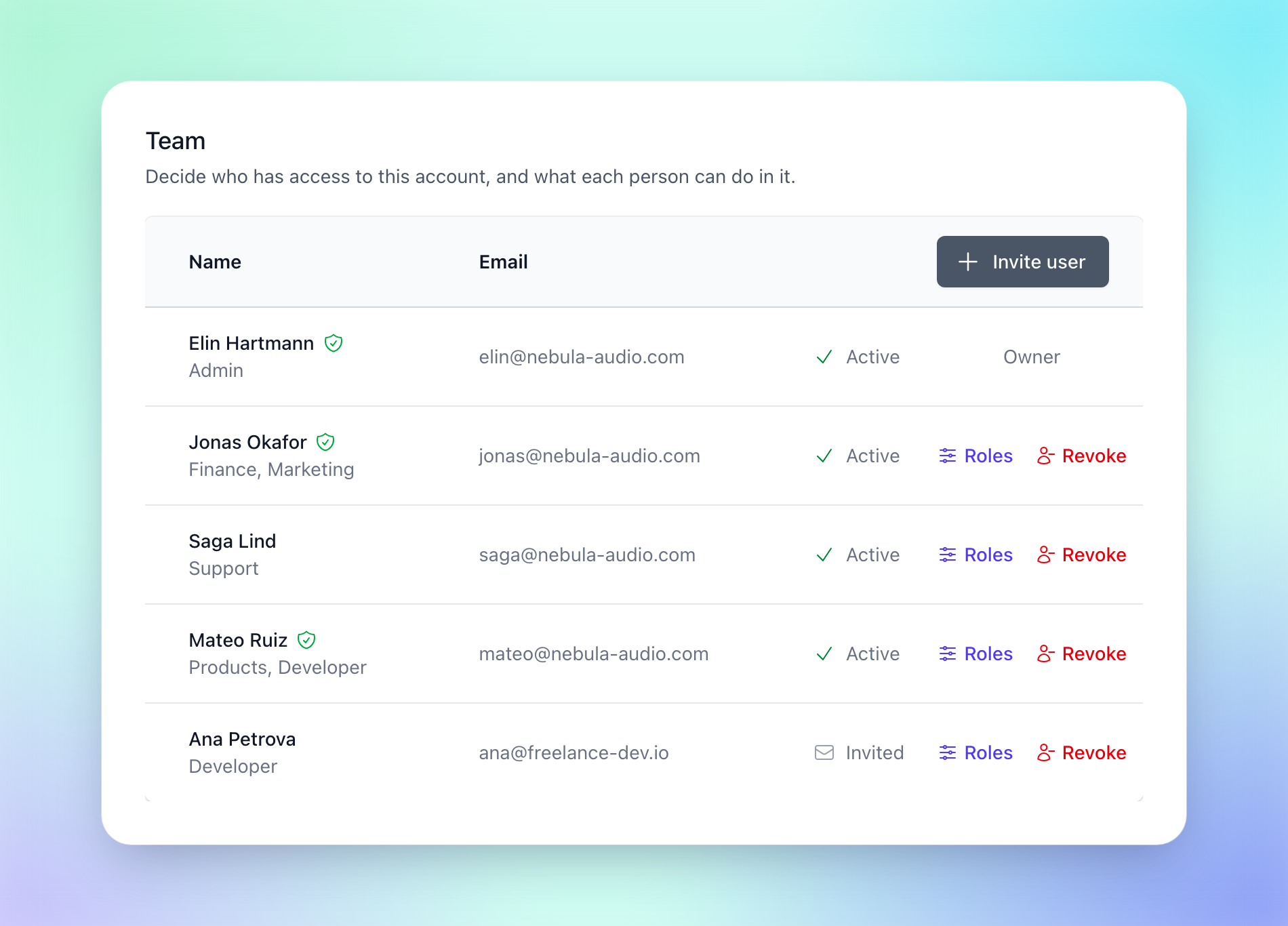
Everyone already on your team starts out as an Admin, so you decide when to narrow things down.
Restricted API keys
An API key used to be able to do everything, so a key sitting in a build pipeline or a helpdesk integration could also refund orders or revoke licenses. Now you choose what each key can do.
When you create a key under Account settings > Developer, pick Restricted and set each area of the API to None, Read or Read & write: products, customers, orders, subscriptions, licenses, activations, trials, coupons, vouchers and more. Access on a key's row changes it later, and the very next request uses the new access limitations.
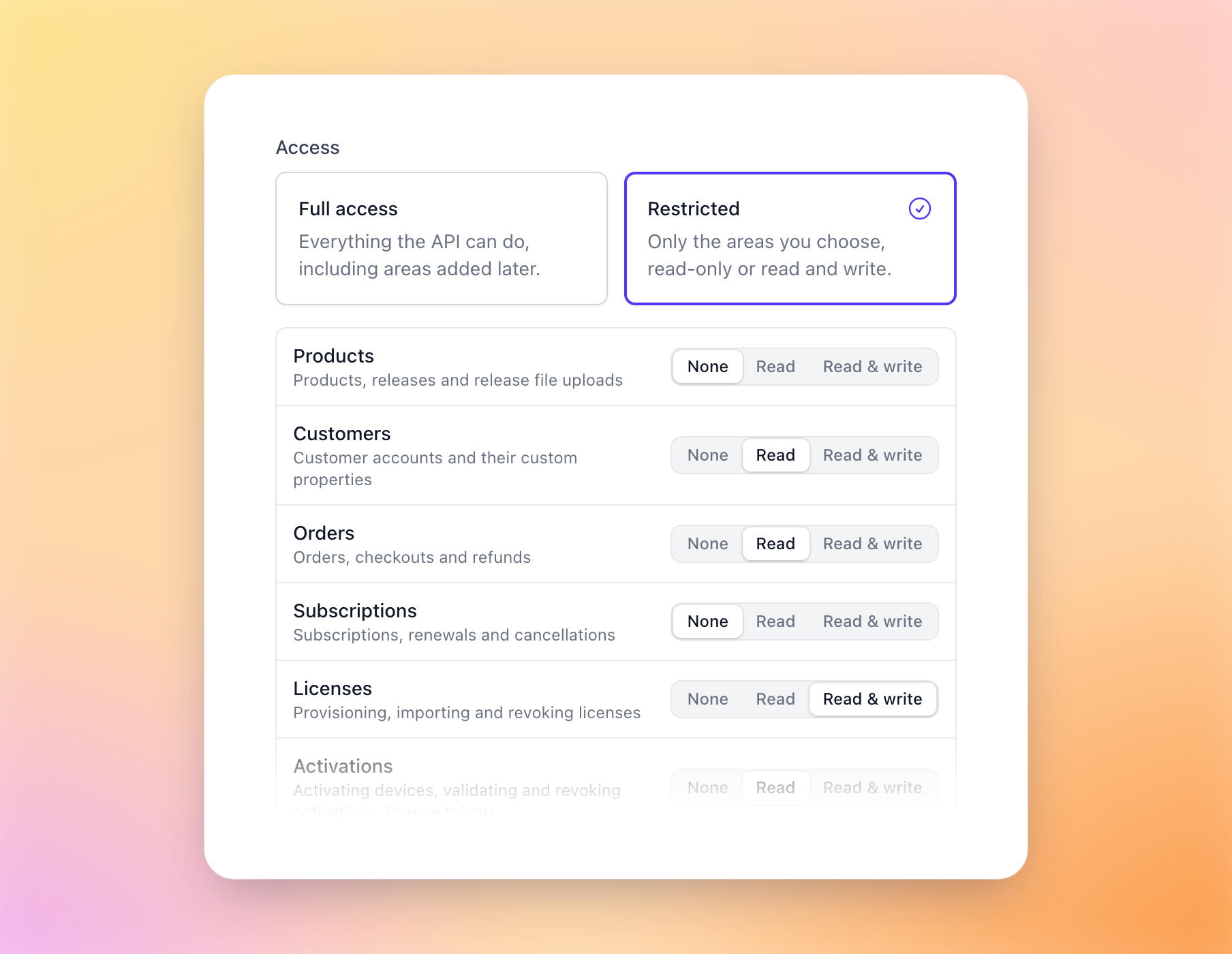
A release pipeline publishing builds with our CLI only needs Products "Read & write", and a helpdesk integration can look up customers, orders and licenses with read access alone. A request outside a key's access gets a 403 that names exactly what it's missing, so you'll know straight away what to grant.
Keys you already have keep full access, and so does any key you create with "Full access", including to the areas we add later.
A captcha for sign-ups and free products
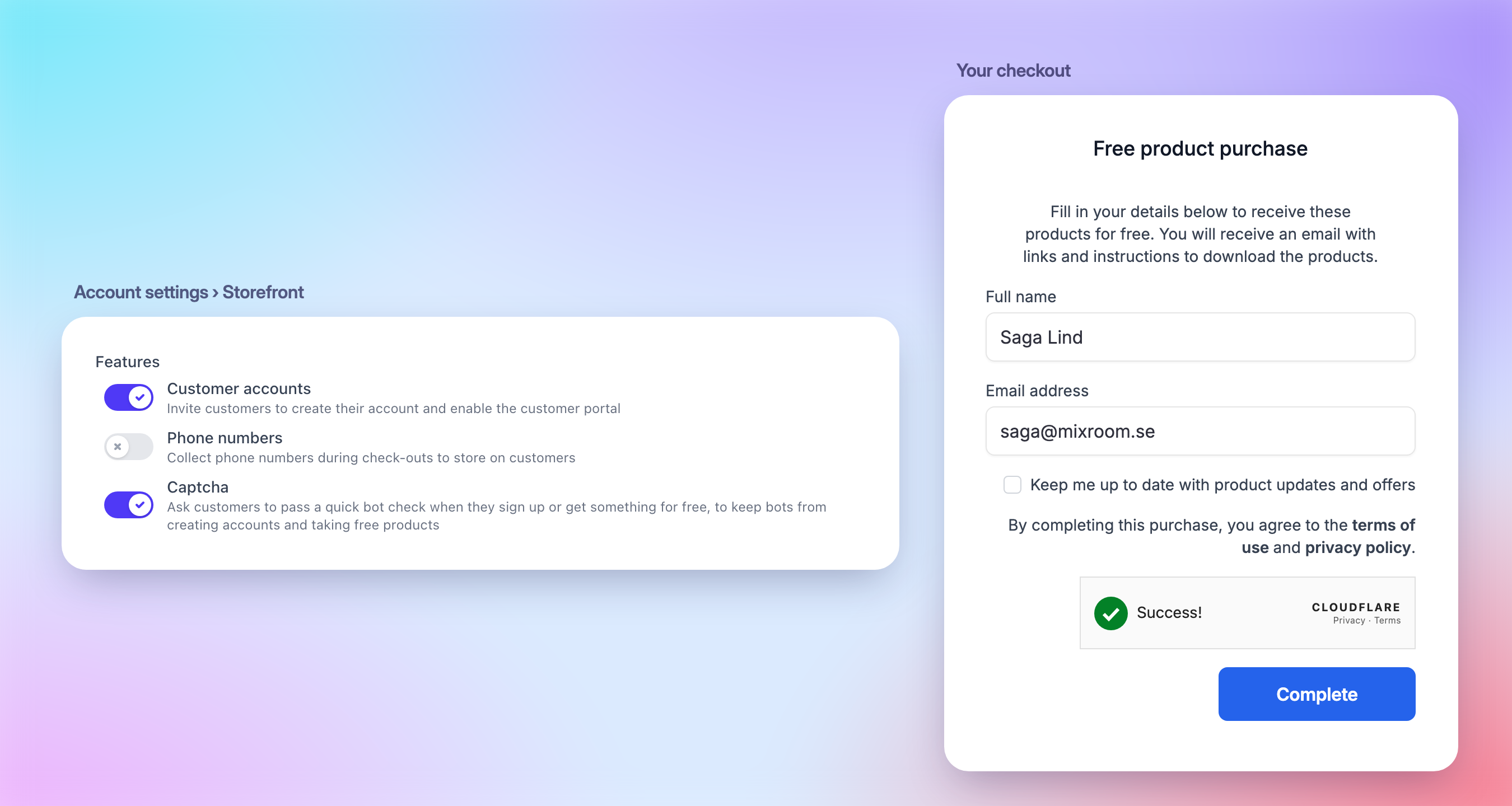
Free products and lead magnets are great for growing your audience, but they also attract bots creating fake accounts. You can now ask customers to pass a quick bot check, powered by Cloudflare Turnstile, when they sign up or check out something that costs nothing.
Switch on Captcha under Account settings > Storefront > Features. Most of the time it checks customers on its own, and only sometimes asks for a click. Paid checkouts never show it, since the payment provider already screens those for fraud.
Using our SDKs, or a storefront of your own? Check these before you switch it on:
The storefront widget shows the captcha from version 3.9.0. The script tag always loads the latest, but if you install it from npm or pin a version, update it first, or sign-up through the widget fails while the captcha is on.
If your site sets a Content-Security-Policy, the captcha is drawn from your own
<account-id>.moonbase.shaddress, whichframe-srcalready needs to allow for the checkout overlay.Signing customers up from inside your app through our licensing SDKs can't show a captcha, so in-app sign-up stops working while it's on. Send customers to sign up in a browser instead.
Requests from your own server with your API key skip the captcha.
That's it for now! If there's something you'd like to see next, like requiring two-factor authentication for your whole team, let us know on our roadmap. 🔐
Enjoying Moonbase?
Then we'd love your honest review!
Sharing your experiences with the platform is a great way to support us, and inform others.
You can find us on Trustpilot. ❤️