Theming Moonbase for your Brand Identity
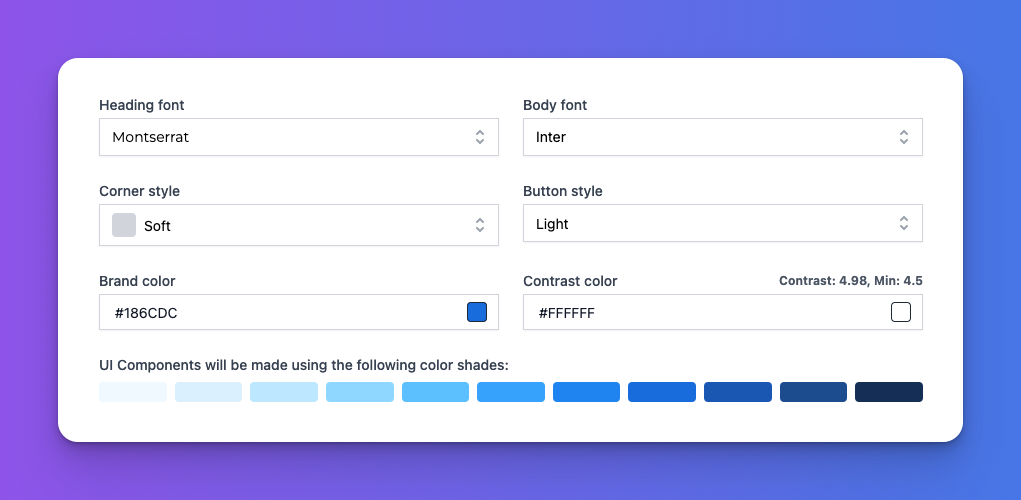
From the start, we built Moonbase to be a white-label solution, powering your websites, apps and stores invisibly in the background. Many customers never realize someone else than your business is powering big chunks of the infrastructure and features necessary to run modern e-commerce. There were however two surfaces which until now has kept a default Moonbase theme, namely emails and checkouts.
Starting today, all Moonbase merchants can now adjust the theme of these surfaces to match their brand, making the customer experience even smoother and presenting a consistent brand throughout the journey.
![Screen Recording 2026-01-09 at 16.03.11.mov [video-to-gif output image]](https://695b9a10c803dc1f3bd85a76.featurebase-attachments.com/c/changelog/6961151853c9f1bab4c8754a/019ba34a-f065-787f-9b66-1d5b4a51ee89/b64u-MDE5YmEzNGEtZjA2NS03ODdmLTliNjYtMWQ1YWEzNDFkMDY5.gif?X-Amz-Expires=3600&X-Amz-Date=20261014T030000Z&X-Amz-Algorithm=AWS4-HMAC-SHA256&X-Amz-Credential=DO801TYC4FCVNNEKURKM%2F20261014%2Ffra1%2Fs3%2Faws4_request&X-Amz-SignedHeaders=host&X-Amz-Signature=ff95fd67fdb2b07b34d0e5620bbbb0b8b5f9b959210d30dfab7882a6a23c93be)
Configuring your Theme
Head over to your Moonbase account settings and find the "Theme" section to get started:
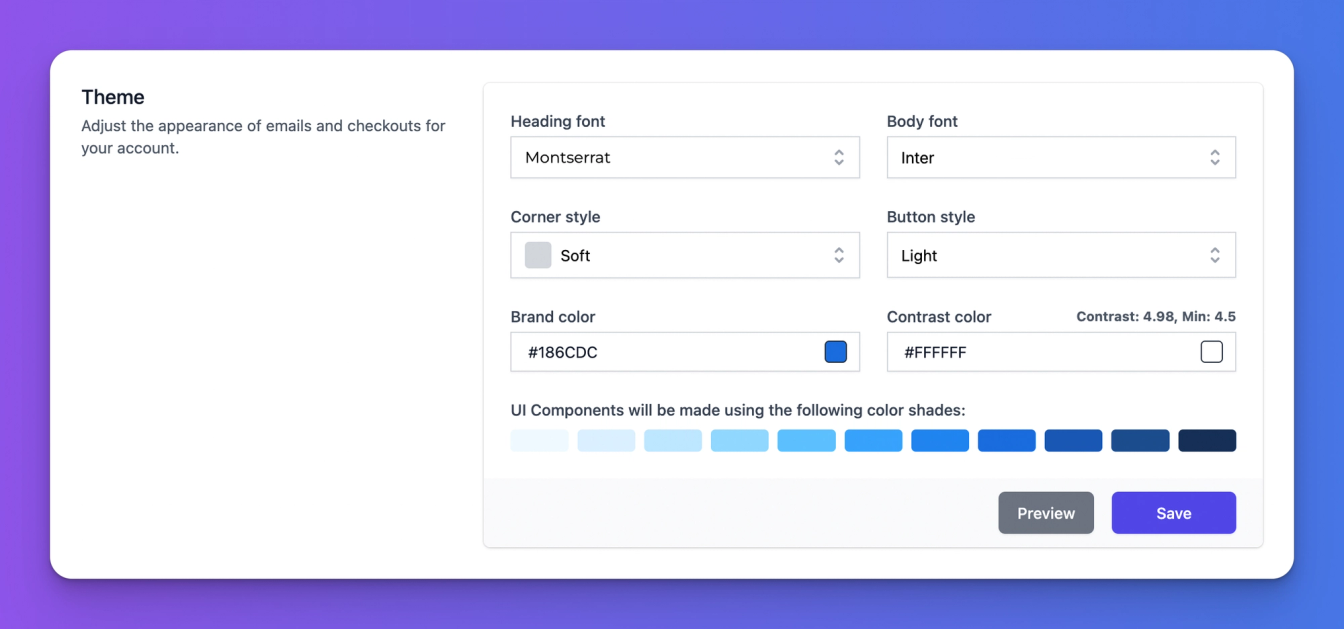
These settings allow you to tweak the overall look and feel of emails and checkouts for your customers, including:
Fonts used in headings and body
Corner roundness across most UI elements
Button style for secondary buttons
Brand color with shades for different UI elements, along with a configurable contrast color to ensure legibility on brighter brand colors
All of these settings are also configurable for the Embedded Storefront to ensure that the theme is also consistent with the cart and customer portal embedded on your website.