New: Marketing Automations
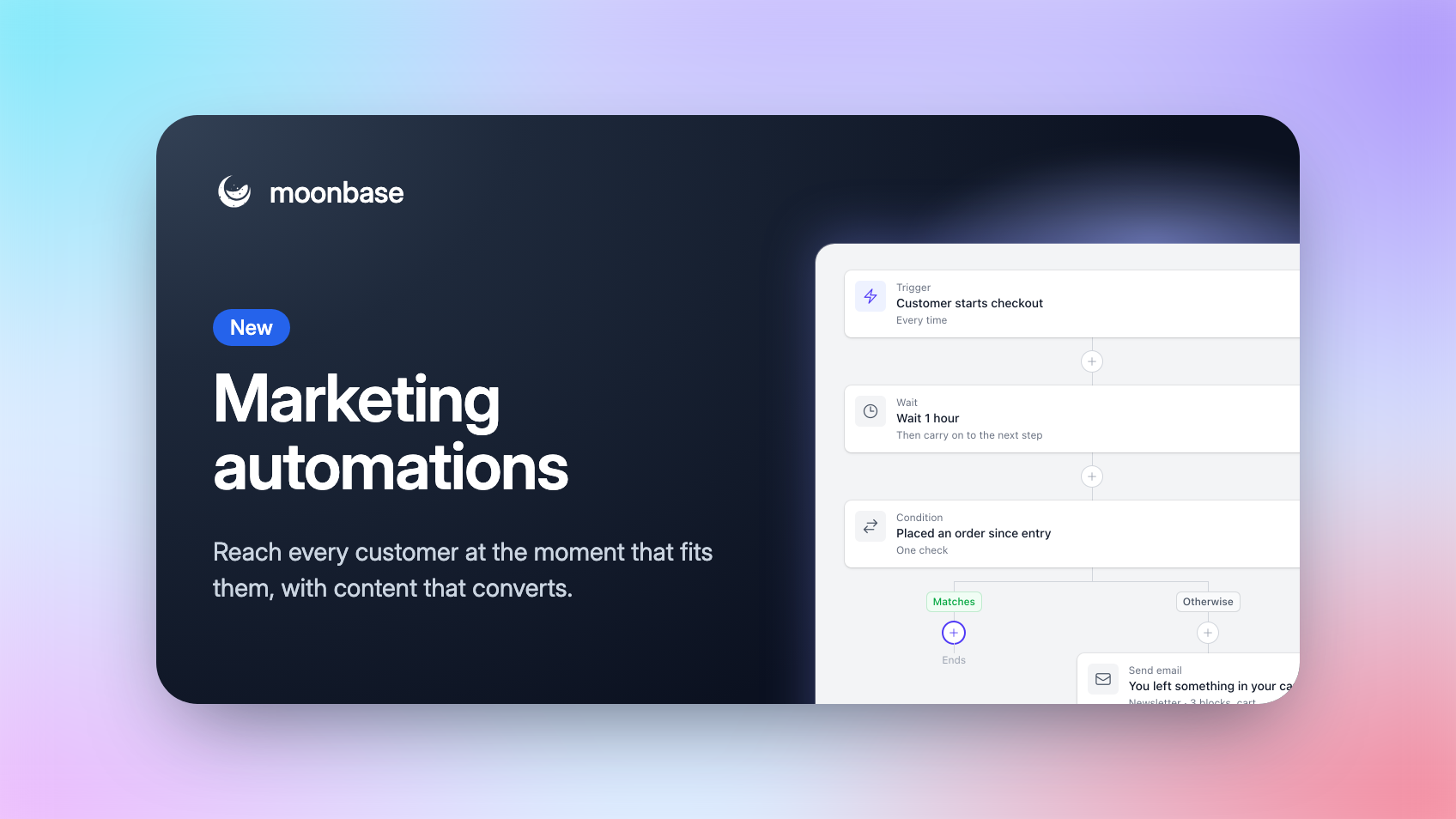
When we launched Campaigns last month, we said Marketing Automations was next. It's here: Moonbase can now email your customers, and act for you, the moment they do something. Welcome someone as soon as they sign up, send a few tips the day after a trial starts, or remind a buyer an hour after they leave your checkout, with their cart right there in the email.
Where a campaign is one email to a group at a time you choose, an automation takes each customer through on their own schedule, so everyone gets the day-one email on their own day one.
Start from a template
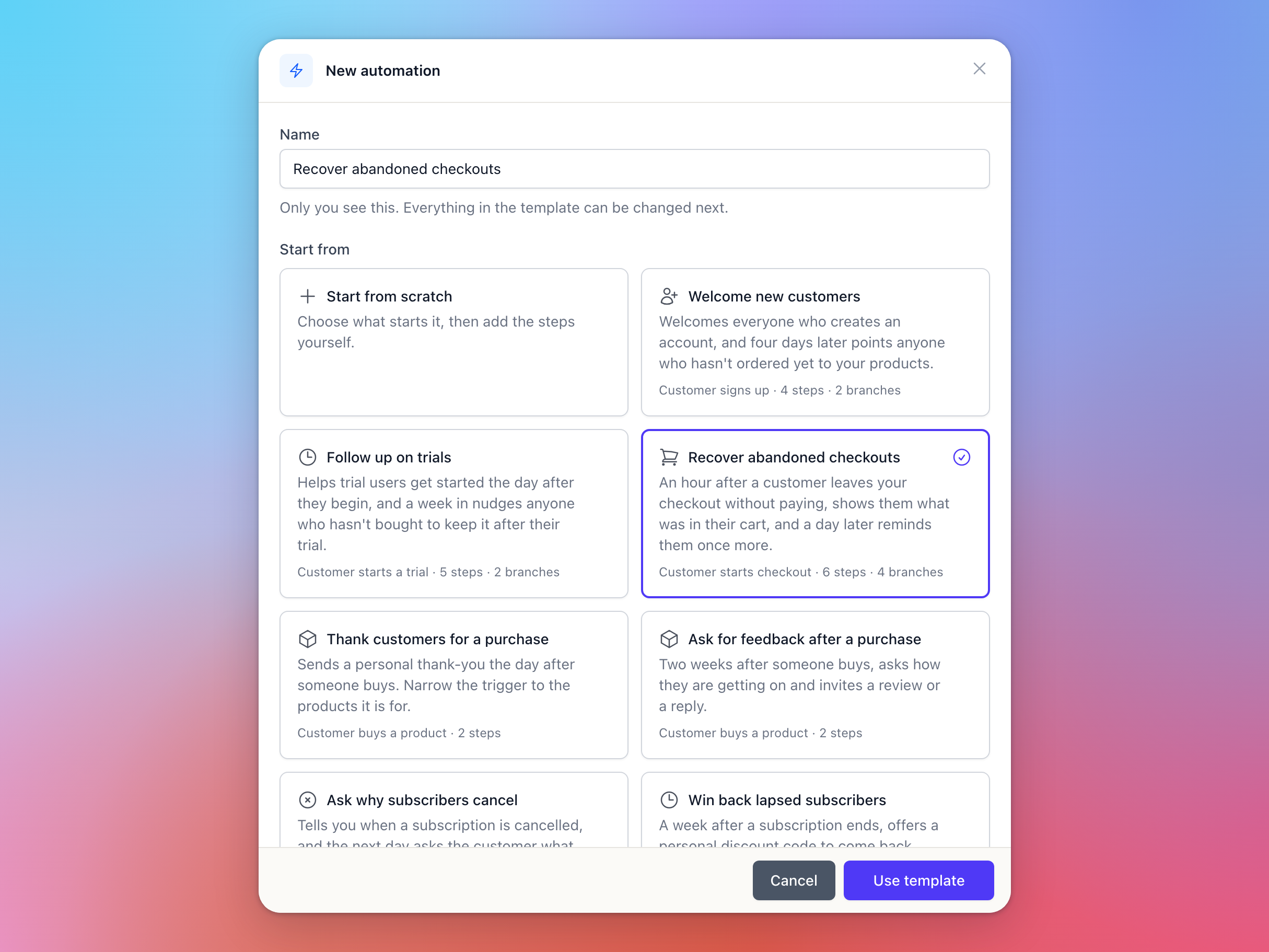
Open Automations in the sidebar and click New automation. Start from scratch, or pick one of seven templates with the trigger, steps and emails already written:
Welcome new customers: a welcome on sign-up, and a pointer to your products four days later for anyone who hasn't ordered
Follow up on trials: tips the day after a trial starts, and a nudge a week in for anyone who hasn't bought
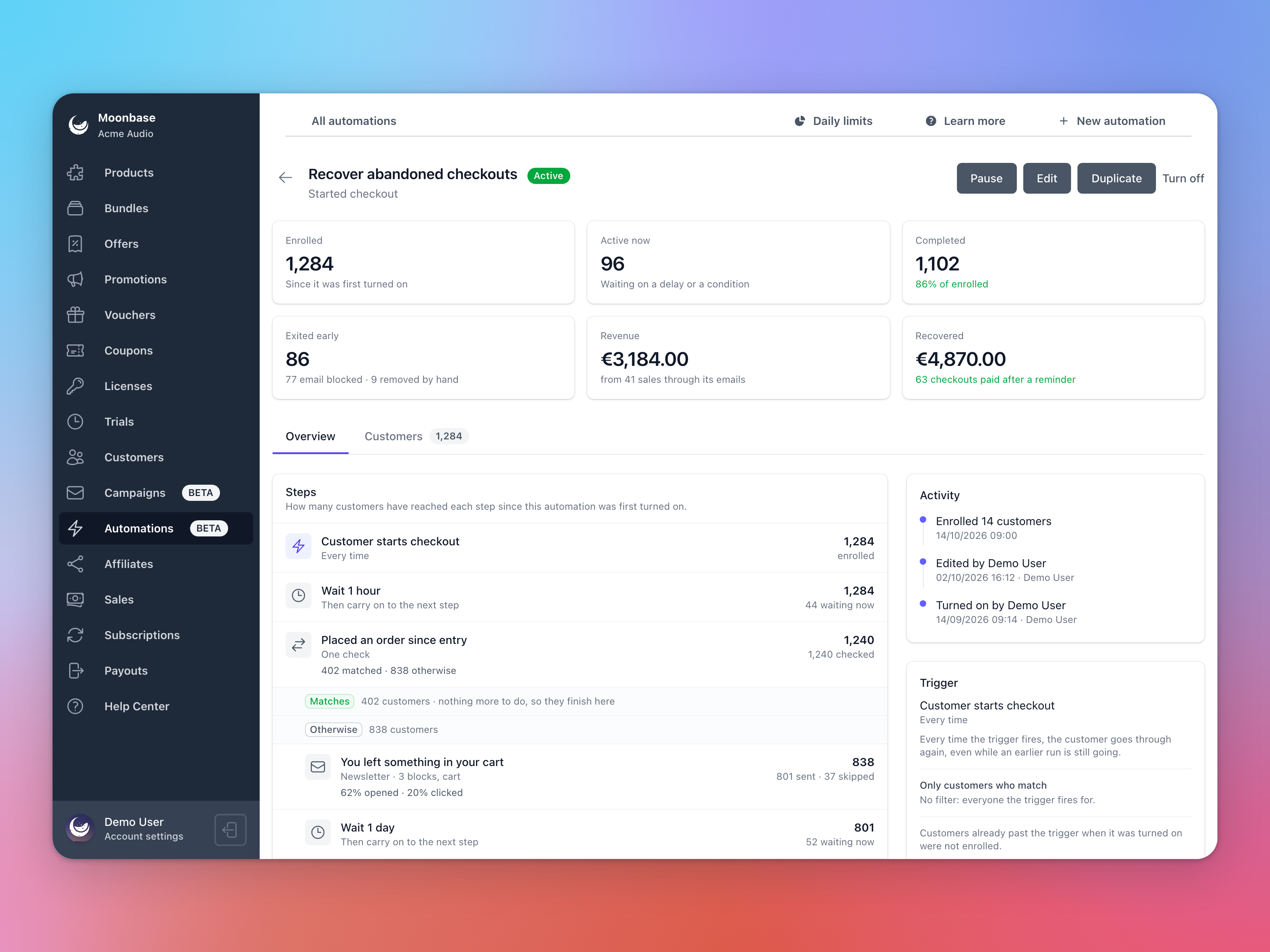
Recover abandoned checkouts: an email with their cart an hour after they leave your checkout, and one more reminder a day later
Thank customers for a purchase and Ask for feedback after a purchase
Ask why subscribers cancel and Win back lapsed subscribers with a personal discount code
Template emails use the theme configured on your account; your colors, fonts and vibe.
Build the flow
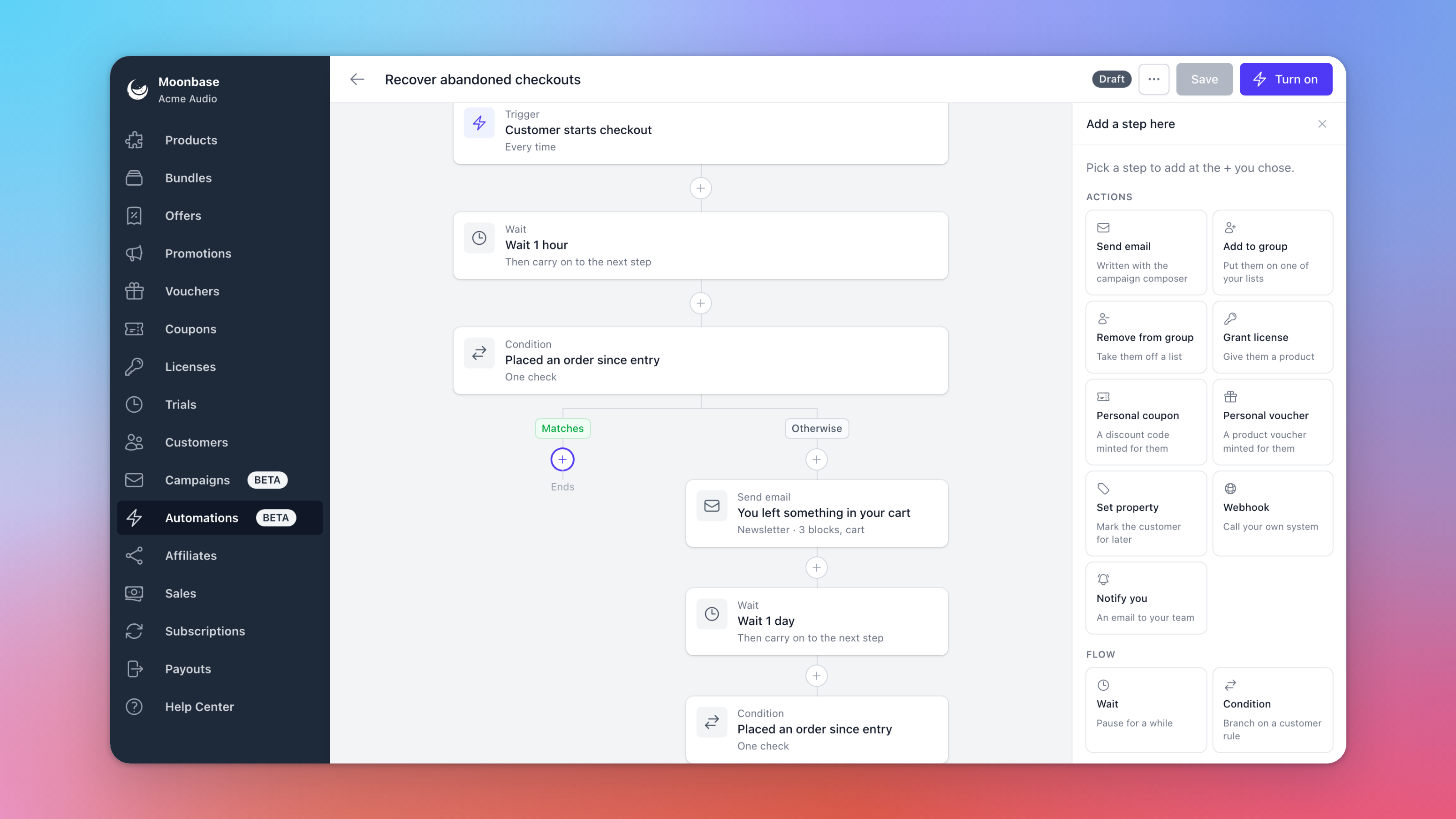
Every automation starts with a trigger: a customer signs up, starts a trial, starts a checkout, buys a product or places an order, starts, cancels or lets a subscription expire, activates a license, joins or leaves one of your lists or segments, or opens or clicks a campaign email. Triggers about products can be narrowed to the ones you pick, and you choose whether a customer enters Once or Every time.
Then add the steps:
Wait for hours or days, and split the path with a Condition, such as whether they've bought since they entered
Send email, written with the same editor as your campaigns
Grant license, Personal coupon and Personal voucher to give the customer a product or a code of their own
Add to group, Remove from group and Set property to keep your lists and customer data up to date
Webhook to tell your own system, like your CRM or Zapier, that a customer got there
Notify you to email your team, for example when a long-time subscriber cancels
Emails that know what just happened
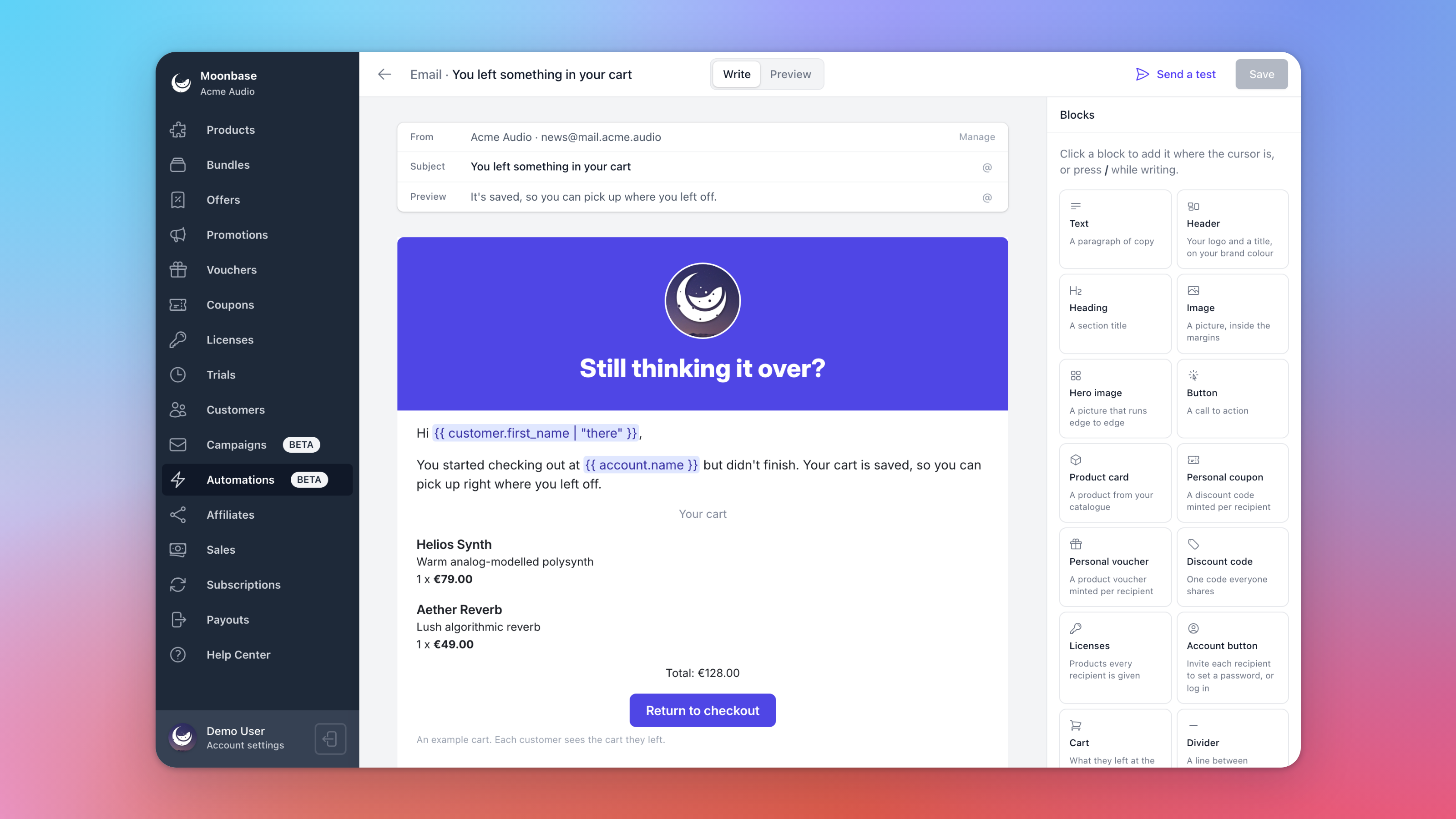
Emails can use what started the automation and what earlier steps did: the order total, the product they're trying, or the coupon code or license they were just given. In an abandoned checkout email, the Cart block shows exactly what the customer left behind, with a Return to checkout button that takes them straight back. And the new Account button invites customers without a password to choose one, while everyone else goes to the log-in page.
Just like campaigns, a newsletter or product update only goes to customers who opted in to it. An email that delivers what the customer asked for, like the free license they signed up for, can be sent as Transactional instead, so it reaches everyone who asked.
See what it earns
Open an automation to see how many customers entered it, where they are now, and how each email did. Revenue shows what customers bought through its emails, counted the same way as a campaign's, and abandoned checkout automations also show Recovered: every reminded checkout that was paid for, however the customer came back. Each customer's page has an Automations tab too, with every step they went through.
Moonbase also keeps an eye on things for you. A customer gets at most four automation emails a day, and if an automation suddenly takes in far more customers than usual, its emails get marked as spam, or they can't be sent, Moonbase pauses it and lets you know. Fix the cause, click Resume, and everyone carries on where they were.
Prefer to describe it? An AI assistant connected to Moonbase can draft an automation for you to look over, and the Moonbase API can build them too.
Pricing
Automations are charged per action: a step that does something for a customer, like sending an email, granting a license, creating a code or calling a webhook. Waits, conditions and entering an automation are free, and so is a step that was skipped or changed nothing. The first 1,000 actions every month are free, then it's €2.00 per 1,000 up to 25,000 and €1.00 per 1,000 above that, so 5,000 actions in a month cost €8. Actions are counted apart from campaign emails, each with its own free 1,000, and Account settings > Account > Pricing Plan shows how many you've used this month.
Already using Klaviyo or Mailchimp?
Nothing changes there: customers keep syncing to Klaviyo, Mailchimp, MailerLite, Brevo and Mailjet just like before. But you can now run your flows in Moonbase too, right next to the licenses, trials and orders they react to.
Read all about it in our article on Automations. Thank you to everyone who upvoted and commented on the request. Is there a trigger or step you'd love to see? Let us know on the roadmap. ⚡
Enjoying Moonbase?
Then we'd love your honest review!
Sharing your experiences with the platform is a great way to support us, and inform others.
You can find us on Trustpilot. ❤️