Sell in Local Currencies World-Wide
Being able to offer customers your products shown in their local currency has been proven to increase conversion rates by over 5% in some cases, and it’s now natively available in Moonbase!
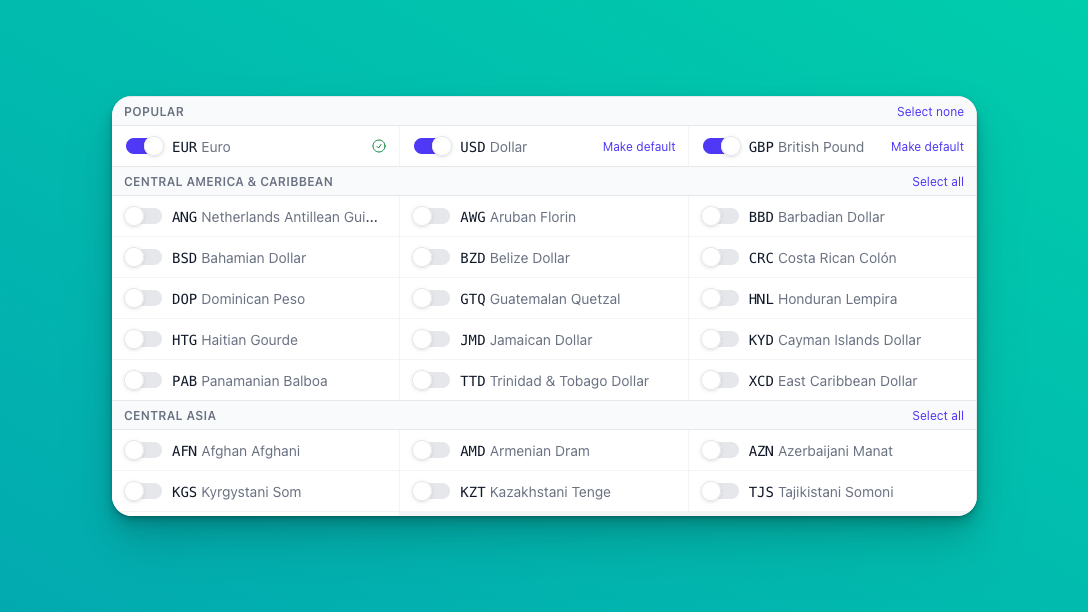
You can choose yourself how Moonbase should convert and prettify prices, and for which currencies. We currently support a total of 109 different currencies across all continents, and each one of them can be enabled or disabled for your Moonbase account. Get started today by heading to your account settings and enabling currencies relevant for your markets:

We’ve added a number of price prettification strategies, to make sure converted prices match the style of your normal prices. Read more about this new feature in our article on Currencies .
Setting product pricing
As always, you have full control over your product pricing, and can set prices in however many currencies you wish. You will always see the currency configured as the default currency on your account, with the option to expand the input to override specific currencies if you need to do that. To make it easier to get a feel for international pricing, we preview what prices customers may see in the different currencies, all based on the default currency price:

When converting between currencies that are using different tax modes (exclusive & inclusive), we automatically adjust the price to account for taxes, to make sure you still receive the original value configured.
Updated dashboard
With this explosive growth in the number of currencies you can sell in, we’ve simplified your dashboard. Before, you would see sale totals for each currency sold, but now we show your sales totals in your payout currency. This should make it easier to get a feel for how much revenue you will see as a business, and tie it closer to your KPIs, avoiding currency conversion math while looking at measurements.
Conversion fees
We try to keep fees as low as we can for all Moonbase features, but currency conversion is never cheap. That’s why we’ve updated our Fees & Costs with the relevant changes for this new feature: a 3% transaction fee for converting local currencies. However, to make sure you get the full product value from sales, this fee will be levied on customers by default, increasing the purchase amount enough to cover the conversion. In the case you specify the local currency prices, this fee will be taken from you, as the merchant.
If you have any feedback or questions regarding this big upgrade to Moonbase, hit the reply button! We appreciate any input on making this feature even better 🚀